How to build an AI content calendar in an afternoon
Use one business goal to plan a month of posts, with a sample calendar and an approval routine.
By Réson
4 min read

In this article
Build an AI content calendar from one business goal, a list of facts you can check and the time you have to make posts. Ask AI for ideas and a first schedule. Assign a person to check each draft before it goes live. Four weeks of posts you can make and measure are enough for a first test.
Build the AI content calendar from one goal
Say a pottery studio wants 12 bookings for its next beginner class. Its audience is people who have never touched a wheel. Each post helps them decide whether to sign up. The next step is the class booking page.
Write down the price, date, class size and what the studio provides. Add questions real students have asked and photos you can use. Mark any facts still waiting for a decision. Give the AI only the details it needs.
Write a brief the AI can follow
Plan four weeks of Instagram posts for our beginner pottery class. Suggest two posts a week. Give each a date, customer question, format, visual and booking link. Use only the facts below. Put “needs review” beside any detail that is missing. One person has an hour a week for photos. Keep the plan within that time.
Use the same brief when you ask for captions. Let the AI suggest a second angle if the first draft sounds flat. Give it one example of how you speak to customers. A real line from the welcome email can tell it more than a list of brand adjectives.
A sample month for a pottery class
| Week | First post | Second post | What to check |
|---|---|---|---|
| 1 | Photo of the studio and a note on who the class is for | Short clip showing the first task at the wheel | Class date and booking page |
| 2 | Three pictures showing the tools provided | Answer to “Can I come alone?” | Equipment and studio policy |
| 3 | Finished cup with a photo the maker approved | Short clip about what happens after class | Photo permission and pickup time |
| 4 | Reminder with the next class date | A few lines on what to wear | Availability and current price |
Put review time on the calendar
Shoot the first two weeks of visuals in one session. Draft the captions together so you can spot repeats. Keep one open slot for a change in hours, a new date or a post that answers a question you heard that week.
Give every row an owner and a status. Move a piece from draft to review after the visual and link are ready. The reviewer checks the price, date, language, image rights and landing page. Schedule the piece once that person has approved it. If a class sells out, update the booking page and reschedule any reminder that still offers places.
Turn one calendar row into a real post
Take the first clip about the wheel. The plan says to show the first task, which is a start. Turn that into a short shot list your team can film before class. Show the bowl of water, the instructor's hands and a fresh lump of clay. Ask the instructor to say what a beginner will try first. If students appear in the frame, check that you have permission to show them. Film the instructor alone if you only need the demonstration.
Give the AI a transcript or your own notes on the clip. Ask for a two-line caption with one link. Check that the caption says what the footage shows. If the clip shows the instructor doing the first task, avoid a caption that promises every student will finish a pot on their first try. Give people the information they need to decide, then point them to the details.
Leave room for the week to change
A student asks whether the studio can fit two friends into the same class. The answer will help other people. Swap it into a planned question slot if the booking setup can handle it. Update the booking page first if the answer depends on an option nobody can see there yet.
You can also give the planner two backup ideas that have no dates or stock claims. For the pottery studio, that could be a tour of the tools or a tip on how to wash clay off an apron. Save those rows for the weeks when the class schedule shifts. Keep a separate list of ideas you chose not to run, with a word about why. When you ask for next month's plan, that list can help prevent repeats.
Measure one action per post
A class reminder aims for a booking. The clip about using the wheel might earn replies from people who want to know how hard the first lesson is. Record each result against its job. Use a simple tracker with date, post, link clicks, bookings you can trace and questions worth answering. If several posts lead to the same page, use a different campaign link for each one. See Google Analytics' guide to campaign URLs.
Leave a place for comments you heard in person. A student may see the class video, then book two days later on a different device. A short “How did you hear about us?” question can pick up some of the visits your link cannot trace.
Decide what next month needs
Use a distinct link for each campaign if you track traffic with campaign tags. At the end of the month, compare visits and bookings with the goal. Save the questions that prompted real replies. If posts get clicks but nobody books, test the booking page or offer before asking AI for more captions.
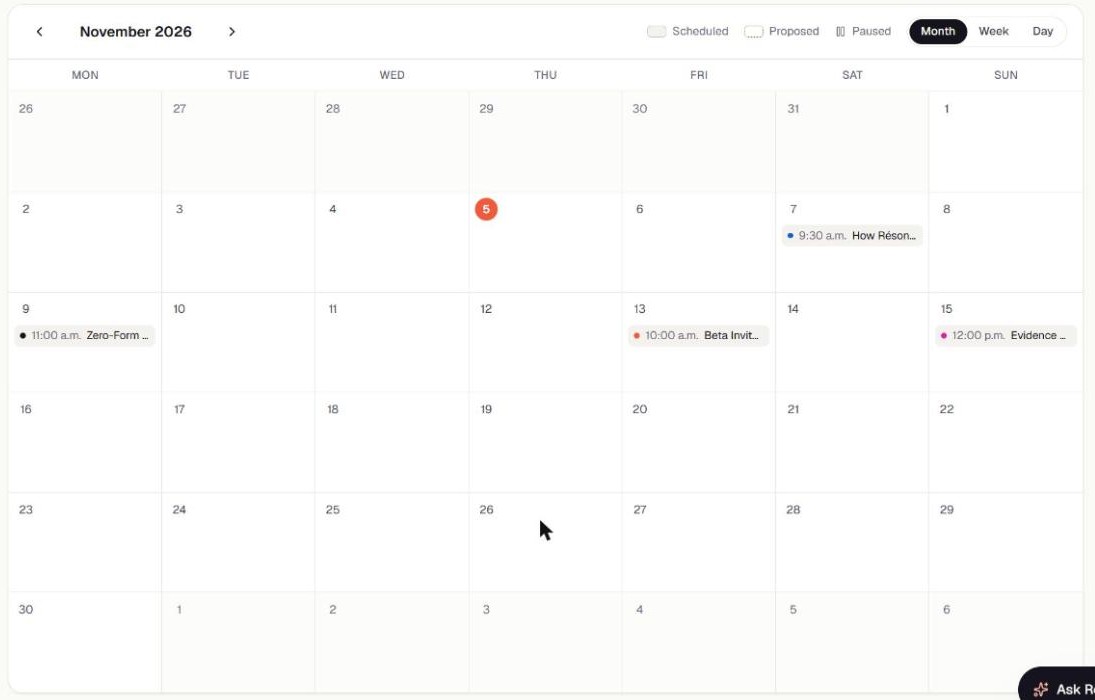
Réson's Campaigns can turn a goal into a dated plan. See what Réson does. If you are comparing planners, put the same brief through each AI marketing tool you are considering.
Frequently asked questions
How far ahead should I plan?
Start with one month and leave an open slot each week. Review dates and prices just before you schedule.
Can I use the same plan for Instagram and LinkedIn?
Use the same goal and facts. Rewrite the hook and use a visual that suits each feed.
What if I only have time for one post a week?
Make one post answer a question that keeps someone from taking the next step. A plan you can keep up with gives you more to learn from.
Sources
- Google Analytics' guide to campaign URLssupport.google.com
About the author
Réson
Réson is an AI marketing workspace for small businesses. It learns your business from your website, drafts posts, campaigns and articles, and waits for your approval before anything goes out.