AI blog writing for small business: a workflow you can trust
Pick real questions, brief the AI with your own facts, check every claim, and follow what Google actually says about AI content.
By Réson
8 min read
In this article
- What's the best way to write blog posts with AI?
- How do you find blog topics people actually search for?
- What should you give the AI before it writes?
- How do you draft with AI without inventing facts?
- What should a person check in an AI draft before publishing?
- Does Google penalize AI-generated blog posts?
- Which SEO basics matter for AI blog writing for small business?
- Titles and descriptions
- Internal links
- FAQs and structured data
- What you can skip
- The pre-publish checklist
- Try this workflow in Réson
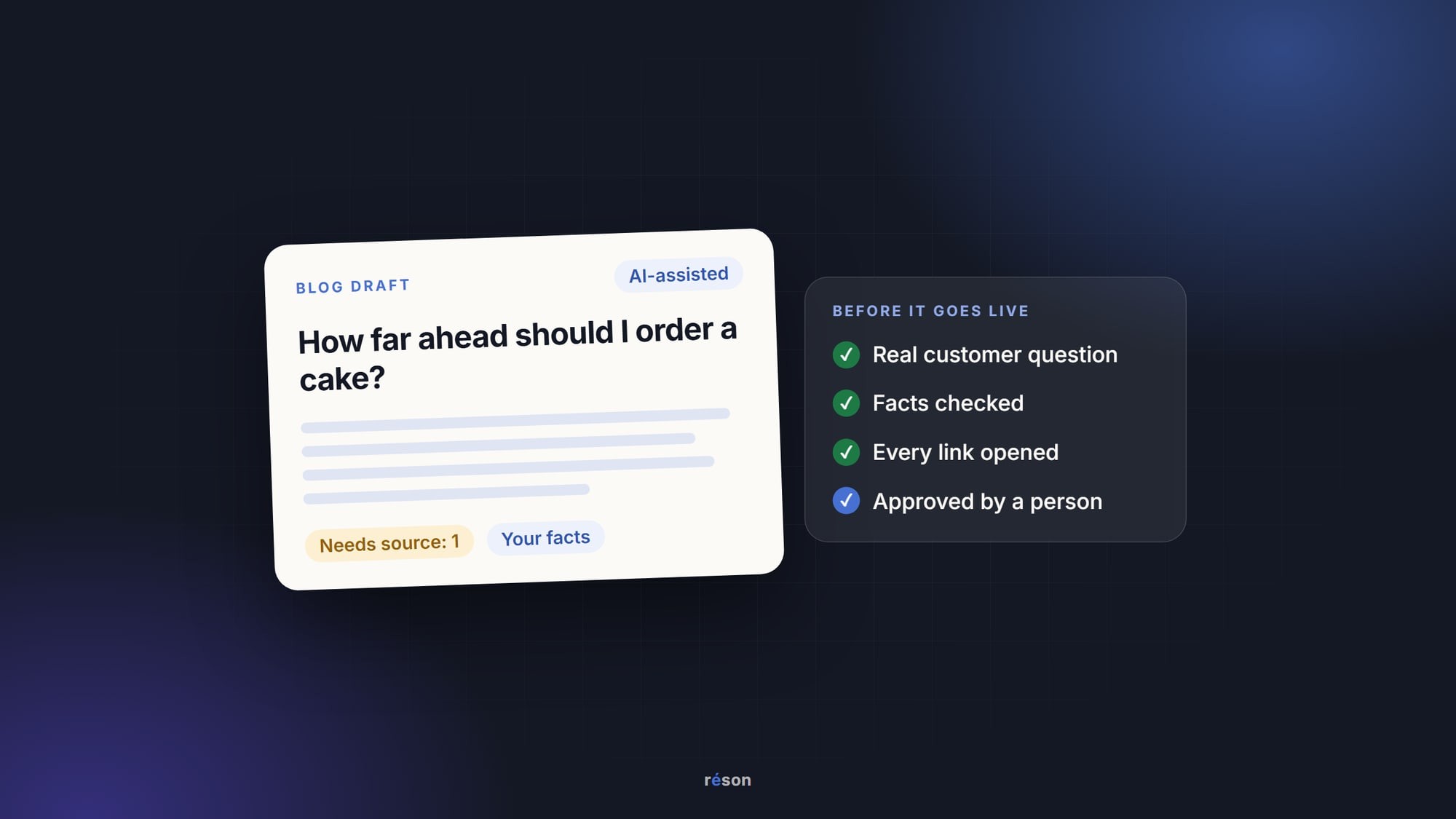
The best approach to AI blog writing for small business is to split the work. You pick a real customer question and supply the facts. AI helps with the outline and the first draft. Then a person checks every claim before the post goes live. Google allows AI-assisted posts, as long as they help readers.
That split matters because AI is quick at the parts that feel like homework and weak at the part that makes a post worth reading: what you know from doing the work every day. The six steps below work with any tool, from a free chatbot to a full marketing workspace.
What's the best way to write blog posts with AI?
Answer one real customer question per post, with your own facts, and let AI draft from a short brief you wrote. Keep a human edit pass between the draft and the publish button.
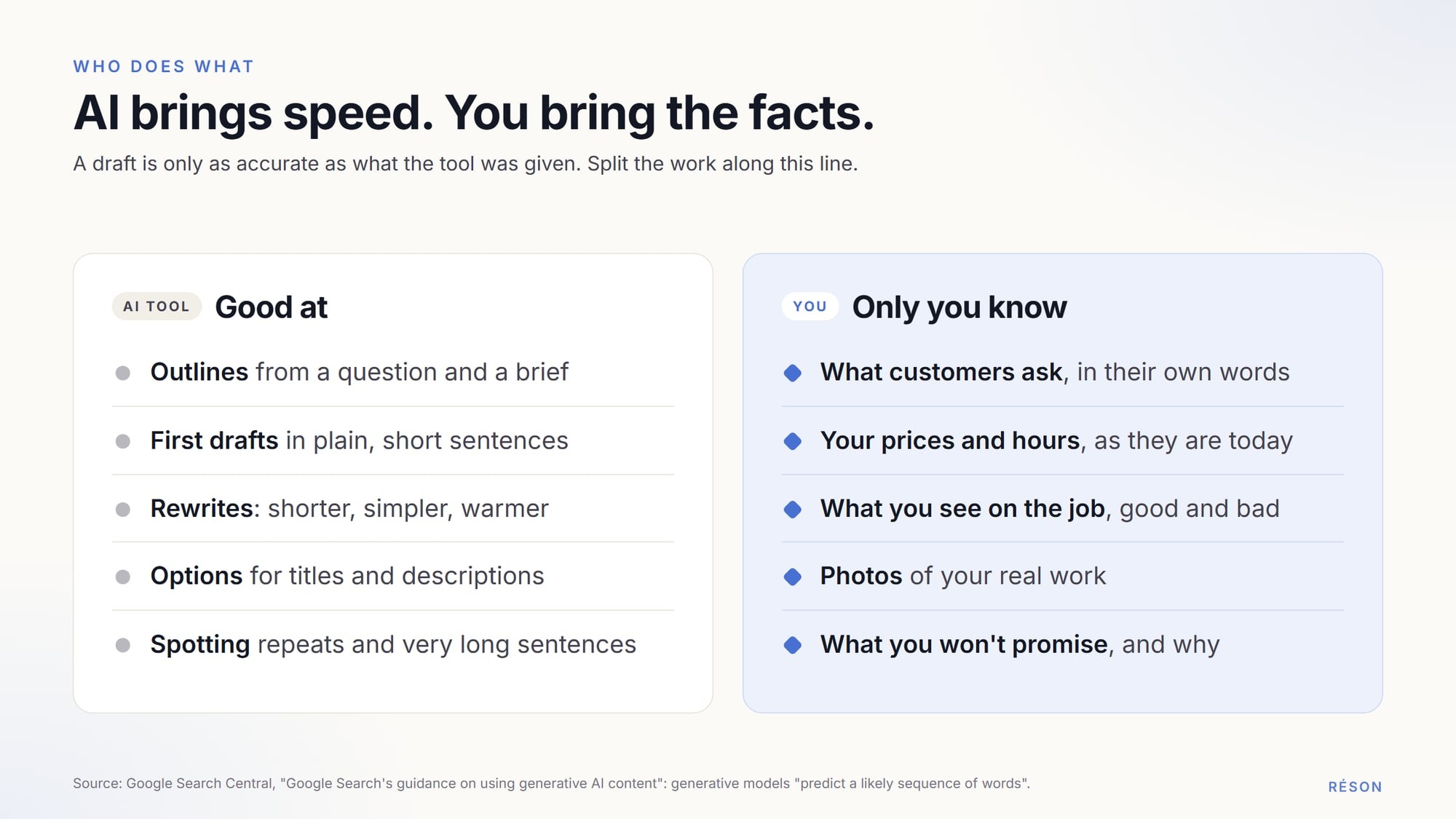
Here is how the work splits between you and the tool:
| Step | You do this | AI can help with |
|---|---|---|
| 1. Pick a question | Choose one question customers really ask | Grouping similar questions, suggesting angles |
| 2. Gather facts | Supply prices, steps, examples and photos | Sorting your notes |
| 3. Write a brief | Decide the reader, the answer and the sources | Turning rough notes into a tidy brief |
| 4. Draft | Approve the outline before the full draft | The outline and the first draft |
| 5. Edit | Check facts, add experience, cut filler | Flagging long sentences and repeats |
| 6. Publish | Approve the title, description and links | Offering title and description options |
How do you find blog topics people actually search for?
Start with the questions customers already ask you, then check which ones people type into Google. A question you have answered ten times on the phone makes a better post than a trending keyword.
Good places to look:
- Your inbox and quote requests. Copy each question in the customer's own words.
- The counter or the phone. Ask whoever answers to jot down questions for two weeks.
- Google Search Console. Its Performance report can group results by query, so you see the words people typed when your site showed up in Google results.
- Reviews of your business and of others like it. Complaints show what people worry about.
- An AI assistant. Ask it your customer's question and note what its answer gets wrong or leaves out.
Then test each topic against an example from Google itself. In its guide to generative AI features in Search, Google calls a post like "7 Tips for First-Time Homebuyers" commodity content, "often based on common knowledge." Its example of the opposite is "Why We Waived the Inspection & Saved Money: A Look Inside the Sewer Line." The second title promises something only one writer could know.
So a roofer's "How to choose a roofer" is a commodity post. "What we usually find under the shingles of a 1970s bungalow" is not. For a full system to collect and rank questions, see how to build a customer-question content backlog.
What should you give the AI before it writes?
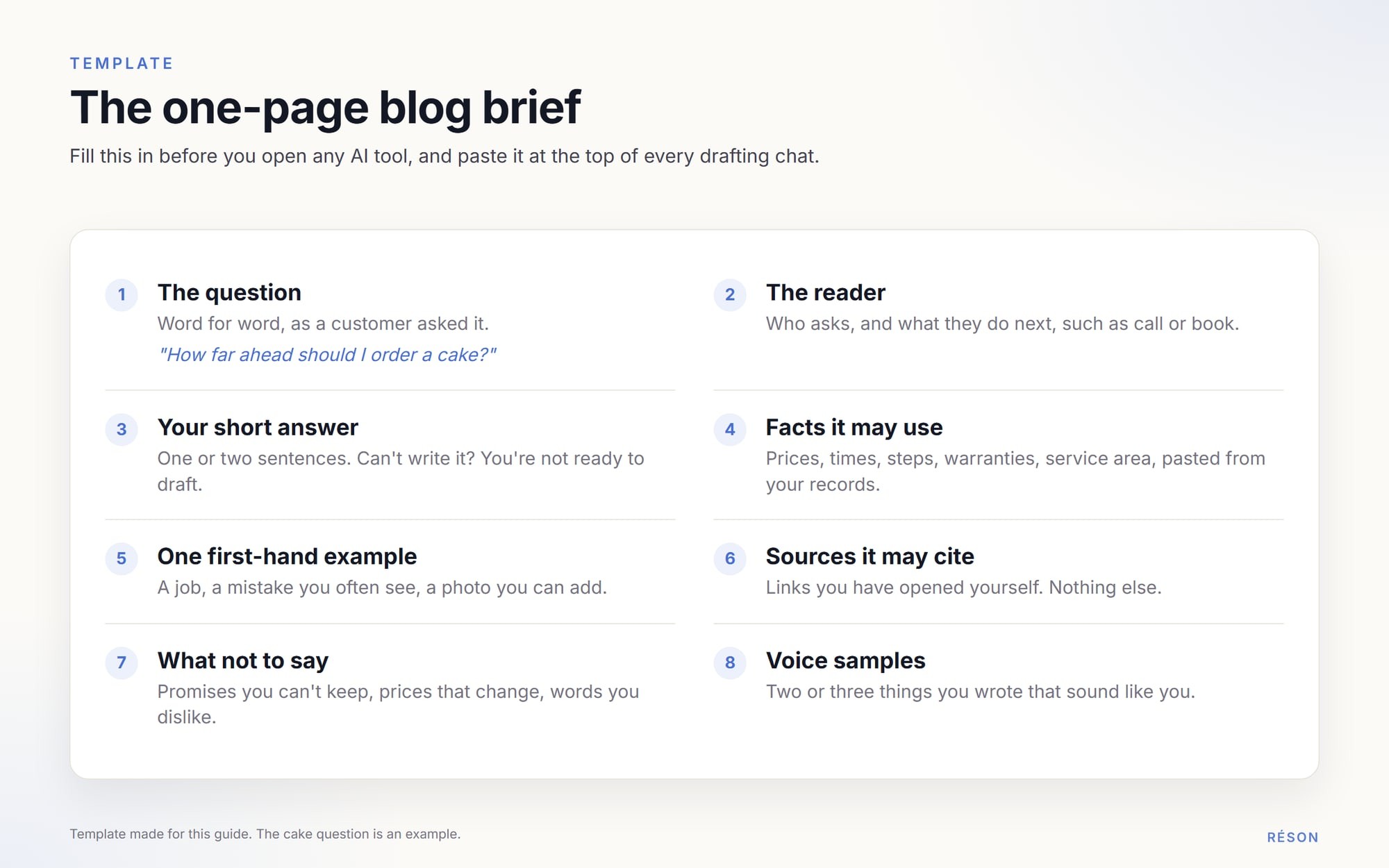
Give it a one-page brief: the question, the reader, your answer in a sentence, the facts it may use and the sources it may cite. An AI tool writes from what it has. With no brief, it fills the gaps with guesses that sound right.
A good brief has eight parts:
- The exact question, in the customer's words.
- Who is asking, and what they will do next, such as call or book.
- Your answer in one or two sentences. If you can't write it yet, you aren't ready to draft.
- Facts from your business: prices, times, steps, warranties, service area.
- One story or example from your own work.
- Sources for any outside facts, with links you have opened yourself.
- What not to say: promises you can't keep, prices that change, words you dislike.
- Two or three samples of your own writing, so the draft sounds like you.
Samples teach voice better than adjectives like "friendly". Our guide to building an AI brand voice shows how to collect them.
How do you draft with AI without inventing facts?
Ask for an outline first and fix it. Only then ask for the full draft, using the brief alone. Tell the tool to flag any claim it can't trace to the brief instead of filling it in.
Google's own guidance on using generative AI content explains why this matters: "generative models don't retrieve facts, but predict a likely sequence of words based on their training data." A confident number in a draft may be a guess.
Instructions that help, in plain words:
- "Use only the facts in the brief. If a fact is missing, write NEEDS SOURCE in its place."
- "Don't add statistics or customer stories I didn't give you."
- "Put the answer to the question in the first two sentences."
- "Use short paragraphs and everyday words."
Any kind of tool can do this. A general chatbot works if you paste the brief each time. A writing assistant may keep your style settings. An all-in-one marketing workspace may keep your business facts on file between posts. Whatever you use, open every link the draft cites and check that the page says what the draft claims.
What should a person check in an AI draft before publishing?
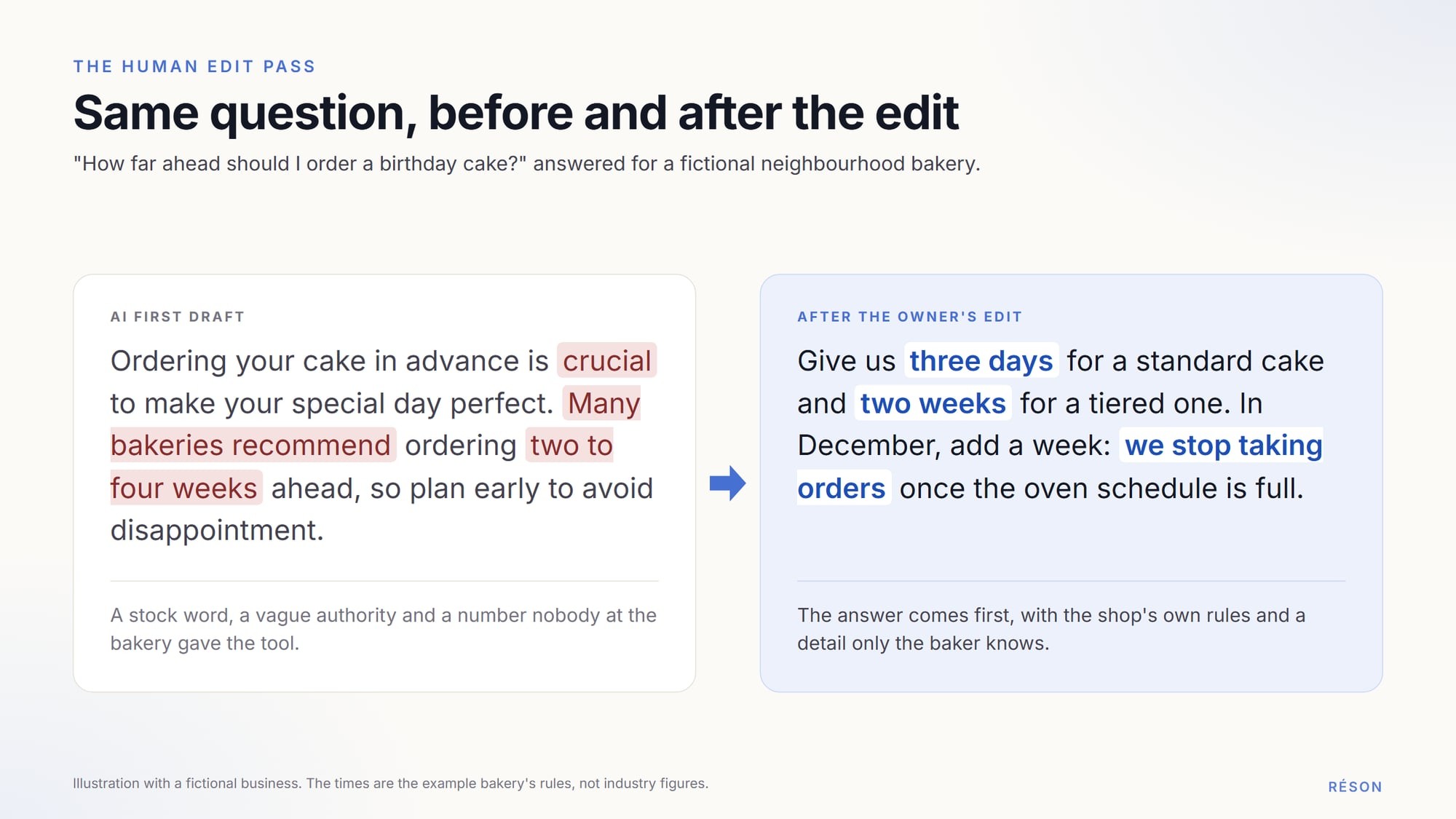
Check every fact, add something only you could write and cut anything you wouldn't say to a customer at the counter. Google calls a manual fact-check of AI content "critical" before publishing.
Work through the draft in this order:
- Facts. Check every price, date, number and name against your own records.
- Experience. Add a photo of the job, a mistake you see often, or a real time or cost.
- Filler. Delete opening lines that say nothing, and stock phrases like "in today's world".
- Voice. Read it aloud. Rewrite any sentence you wouldn't say.
- The answer. Make sure the first two sentences answer the question.
Does Google penalize AI-generated blog posts?
No, not for using AI. Google's 2023 guidance on AI-generated content says "appropriate use of AI or automation is not against our guidelines." What breaks its spam policies is content made mainly to manipulate rankings, however it was produced.
Here is what Google's pages say, and what each point means for a small blog:
| What Google says | What it means for you |
|---|---|
| "Using AI doesn't give content any special gains. It's just content." | An AI post is judged like any other post. |
| Making many pages with AI "without adding value for users" may be scaled content abuse. | Don't publish 40 near-identical pages for 40 towns. |
| The fact-check applies to titles, meta descriptions, structured data and image alt text. | Review the AI-written parts readers see in search results too. |
| AI disclosures help where readers might ask "How was this created?" | Add a short note on how you work when readers would expect one. |
| Fake author profiles, such as AI headshots or made-up names, are "a form of deception". | Put a real person's name on the post. |
| Google has no preferred word count: "No, we don't." | Write as long as the answer needs, then stop. |
The last three rows come from Google's page on helpful, people-first content. The same page calls "why" a post exists "perhaps the most important question." Google wants that answer to be "to help people", not to attract visits from search engines.
Which SEO basics matter for AI blog writing for small business?
A clear title, an honest description, helpful internal links and a page that answers the question cover most of it. Google's guide to its AI features says the usual SEO basics apply to AI Overviews and AI Mode too.
Titles and descriptions
Google's title link documentation asks for "descriptive and concise" titles and warns against keyword stuffing. Put the main words of the question near the start. Then write a unique meta description for each post: one or two sentences that sum up the page, which Google may show under the title.
Internal links
Google's guide to links says "every page you care about should have a link from at least one other page on your site." Link each new post from an older one, and use anchor text that says where the link goes. "Click here" tells a reader nothing.
FAQs and structured data
A short FAQ still helps readers who skim. But Google stopped showing FAQ rich results in Search on 7 May 2026, so don't add FAQ markup expecting the old drop-down answers. If you do use structured data, make sure it matches the text on the page.
What you can skip
Google says it doesn't use the meta keywords tag, has no magic word count and ignores llms.txt files. You also don't need to cut posts into tiny chunks for AI. For how AI answers pick sources, see our guide to Google AI Overviews for small businesses.
The pre-publish checklist
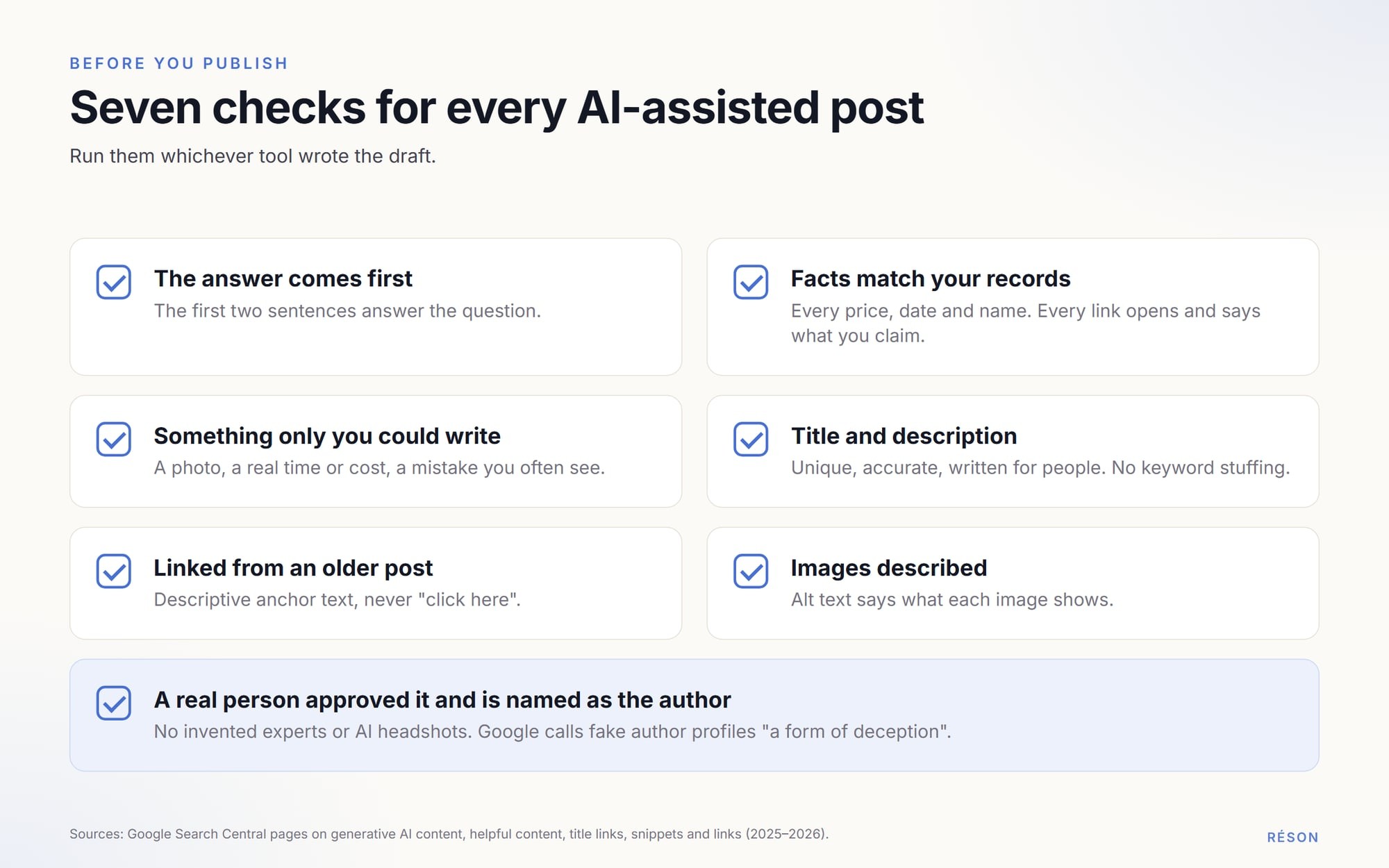
Run these checks on every post, whichever tool wrote the draft:
- The first two sentences answer the question.
- Every fact matches your records, and every link opens and says what you claim.
- The post has at least one detail only your business could give.
- The title and description are unique, accurate and written for people.
- At least one older post links to this one, with descriptive anchor text.
- Images have alt text that says what they show.
- A real person on your team approved it and is named as the author.
Try this workflow in Réson
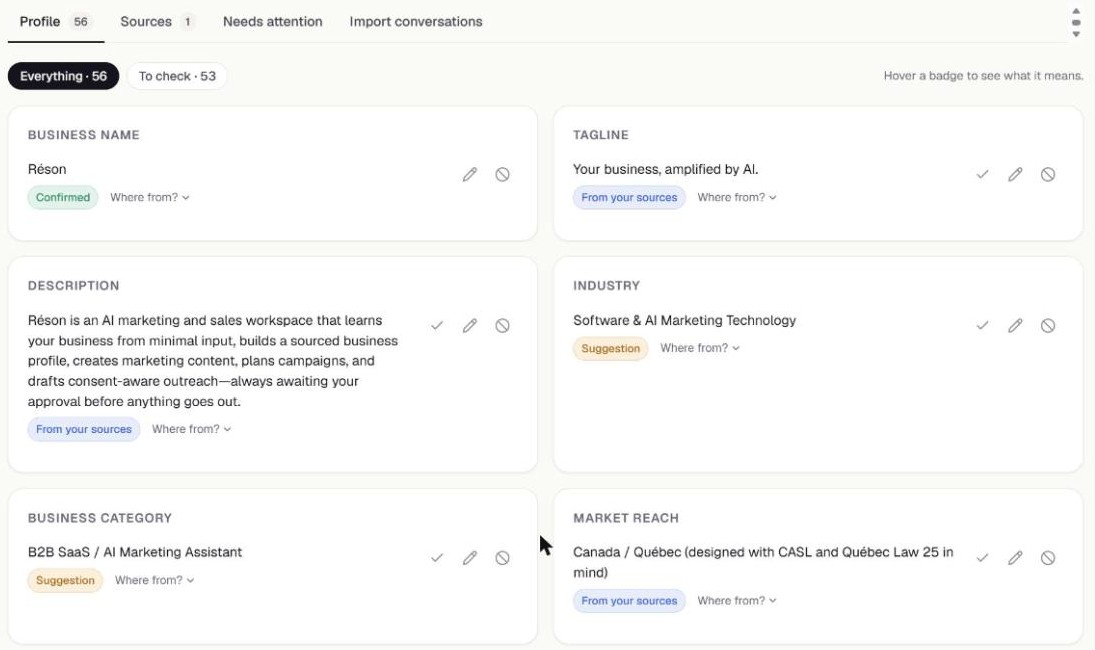
Réson is an AI marketing workspace for small businesses, and it includes a company blog with tools for several of these steps. Your business profile holds the facts, each with its source, and anything unconfirmed stays marked as a suggestion until you confirm it. Article research uses live Google Search and keeps only sources whose pages it could open. Each draft gets an SEO check and a writing-style check, and by default nothing is published until you approve it. It works in English and French.
You can start a free 14-day Réson trial with no credit card. Plans start at CA$79 a month after that. If you prefer another tool, the brief and the checklist above work just as well in a plain chatbot.
Frequently asked questions
Can Google tell if a blog post was written with AI, and does it matter?
Google hasn't said it ranks posts by whether AI wrote them. Its 2023 guidance says it focuses on the quality of content rather than how it is produced, and that using AI gives content no special gains. What Google acts against is content made mainly to manipulate rankings, such as many low-value pages generated at scale. A useful, checked post is judged like any other.
Should I tell readers that AI helped write my blog post?
Google suggests adding a disclosure where readers might reasonably ask how a piece was created, and explaining how automation was used. For most small-business posts, a short line about how you work is enough, such as noting that drafts are written with AI and checked by your team. What matters more is a real, named author who stands behind the facts in the post.
How long should a small business blog post be?
As long as the answer needs. Google says it has no preferred word count, and its guide to AI features says there is no ideal page length. A post that answers a simple question well in 500 words beats one padded to 2,000. Put the direct answer in the first two sentences, then add the steps, examples and details a customer would want.
What is the best AI tool for writing small business blog posts?
The best tool is the one that writes from your facts and lets you check its work. General chatbots are flexible and work well if you paste in a brief each time. Writing assistants focus on style and editing. All-in-one marketing workspaces can keep a business profile, sources and an approval step in one place. Whichever you pick, a person should check every fact.
Do I still need SEO if AI answers are replacing Google results?
Yes. Google says its AI Overviews and AI Mode are rooted in its core Search ranking and quality systems, so the usual SEO basics still apply. A page must be indexed and eligible to show with a snippet to appear as a link in those features. Clear titles, honest descriptions, internal links and genuinely helpful content matter there too.
Sources
- Google Search Central: Google Search's guidance on using generative AI content on your websitedevelopers.google.com
- Google Search Central blog: Google Search's guidance about AI-generated content (8 February 2023)developers.google.com
- Google Search Central: Creating helpful, reliable, people-first contentdevelopers.google.com
- Google Search Central: Spam policies for Google web search (scaled content abuse)developers.google.com
- Google Search Central: Optimizing your website for generative AI features on Google Searchdevelopers.google.com
- Google Search Central: Latest documentation updates (FAQ rich result removed, May–June 2026)developers.google.com
- Google Search Central: Influencing your title links in search resultsdevelopers.google.com
- Google Search Central: Control your snippets in search results (meta descriptions)developers.google.com
- Google Search Central: Link best practices for Googledevelopers.google.com
- Google Search Central: SEO Starter Guidedevelopers.google.com
- Google Search Central: AI features and your websitedevelopers.google.com
- Search Console Help: Performance report (Search results)support.google.com
About the author
Réson
Réson is an AI marketing workspace for small businesses. It learns your business from your website, drafts posts, campaigns and articles, and waits for your approval before anything goes out.