ChatGPT for small business marketing: what works and fails
An honest evaluation of where a blank chat window saves you hours, where it invents facts or drops the ball, and 10 prompts you can copy today.
By Réson
10 min read
In this article
- What marketing tasks does ChatGPT actually do well for a small business?
- Where does ChatGPT fall short in day-to-day marketing?
- 1. Invented facts and fake offers
- 2. Lost context and prompt fatigue
- 3. The generic AI voice trap
- 4. No visual brand consistency
- 5. No calendar or approval queue
- 6. Privacy and compliance blind spots
- How do you stop ChatGPT from inventing facts about your business?
- Copy-ready checklist: Your 10-minute Business Fact Sheet
- Worked example: Generic prompt vs. fact-grounded prompt
- 10 copy-ready ChatGPT prompts for small business marketing
- 1. Monthly content angle generator
- 2. Service page to social post repurposer
- 3. Customer review theme extractor
- 4. Rough voice-note to newsletter polisher
- 5. FAQ builder for local search and AI answers
- 6. Seasonal promotion email (no fake discounts)
- 7. English-to-French (or French-to-English) localiser
- 8. Polite follow-up draft for warm inquiries
- 9. Jargon and AI-cliché stripper
- 10. Four-week mini-campaign outline
- ChatGPT vs. a dedicated AI marketing workspace: how do they compare?
- How to organize your next week of marketing in 20 minutes
Using chatgpt for small business marketing works best when you treat it as a fast helper for ideas and rough drafts. It is not a full marketing department. It fails when you rely on it to check your business facts or remember your prices across projects. It also cannot design consistent brand visuals or schedule campaigns on a calendar.
If you run a small business in Canada, you probably fit marketing in between client calls and payroll. According to the 2026 Empowering Small Business Report by the U.S. Chamber of Commerce, 66% of small businesses now use AI, up from 23% in 2023. The reason is simple: staring at a blank screen at 8 p.m. on a Tuesday is exhausting.
Below is an honest look at what ChatGPT handles well and where a chat window hits a wall. You will also find a reusable fact-sheet template, a real example, and 10 prompts you can copy right away.
What marketing tasks does ChatGPT actually do well for a small business?
A general chatbot is at its best when you give it your own notes and ask for a rewrite or summary. Because you supply the facts right inside the prompt, the tool does not have to guess who you are.
Here are the four daily jobs where ChatGPT saves real time:
- Getting past a blank page when you need to promote a seasonal service or fill a slow mid-week booking slot. Asking for ten distinct angles gives you something concrete to react to in thirty seconds.
- Turning one finished piece of work into five smaller posts. You can paste a 600-word service page or a voice-note transcript and ask for three LinkedIn posts and a 150-word newsletter blurb.
- Sorting through messy customer feedback to spot patterns. If you paste twenty Google reviews with customer names removed, ChatGPT will group the common complaints and pull out the exact words happy buyers use.
- Drafting a first-pass translation between English and French. For Canadian businesses working in both languages, ChatGPT writes solid rough drafts when you share your word list and ask for local spelling.
If you are also wondering how customers find you inside AI chat tools in the first place, read our guide on how to get your business cited by ChatGPT.
Where does ChatGPT fall short in day-to-day marketing?
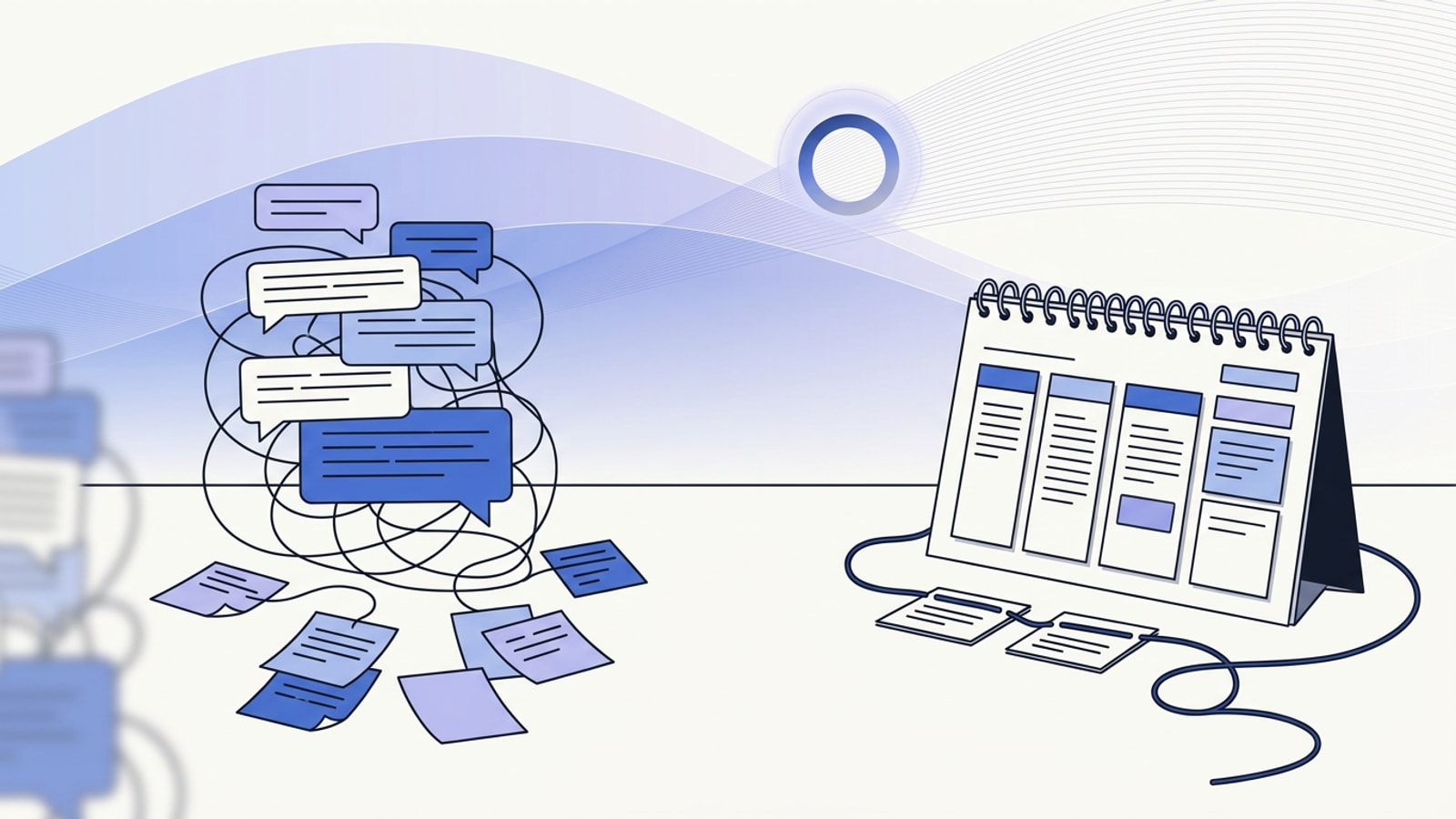
The friction starts when you try to run weekly marketing out of a long list of old chats. Writing one fast paragraph is not the same as running a steady marketing system.
1. Invented facts and fake offers
Large language models predict the next likely word. They do not check a ledger of what is true about your company. Say you ask ChatGPT to write a promo email for your plumbing company or clinic without pasting your service list. It will gladly invent a 24/7 emergency promise or a 15% senior discount because those phrases show up often in its training data.
You can test what chatbots currently believe about your company by following our AI visibility checker guide.
2. Lost context and prompt fatigue
ChatGPT treats every new task as a fresh chat unless you maintain custom settings or paste a briefing doc each time. Even with memory turned on, a chat window does not keep a clean record of which facts are confirmed. It will not know what changed last Tuesday when you updated your autumn hours.
By week three, many owners spend twenty minutes reminding the bot what they sell and which cities they serve. Most end up giving up and writing the post themselves.
3. The generic AI voice trap
Left to its defaults, ChatGPT writes in a breezy corporate style full of clichés. Readers spot it right away. Look at Salesforce's Small Business Trends Report, which surveyed 3,350 small and medium business leaders. While 58% of SMB marketing teams use AI to tailor content, 61% of customers still feel treated like a number. Pumping out more words does not build trust if those words sound like every other shop in town.
4. No visual brand consistency
ChatGPT can make images, but it does not keep a locked brand kit of your exact colours and fonts. It cannot carry your photo style across a month of social graphics, short videos, and email headers. Ask for three graphics on three different days and you will get three unrelated styles, often with misspelled text baked in.
5. No calendar or approval queue
A chat thread is where drafts go to get buried. ChatGPT cannot lay out a four-week campaign on a calendar or prepare Tuesday's draft on schedule. It also cannot hold a post for a partner's OK or track which contacts agreed to get follow-up emails.
6. Privacy and compliance blind spots
Many owners use a personal Free or Plus account and paste client emails or spreadsheets right into the chat box. As of November 2026, OpenAI's ChatGPT pricing and plan documentation shows that ChatGPT Plus costs $20 USD a month for one person. ChatGPT Business starts at two seats; check OpenAI's pricing page for the current per-seat price. The Business plan excludes company data from model training by default.
That difference matters. In the 2026 U.S. Chamber of Commerce report, 60% of small businesses worried about compliance costs tied to privacy and AI laws. Canadian businesses must follow PIPEDA, Québec's Law 25, and Canada's Anti-Spam Legislation (CASL). Pasting client details into a consumer bot without checking your training settings or tracking email consent creates real risk.
How do you stop ChatGPT from inventing facts about your business?
If you use ChatGPT for small business marketing, the best habit you can build takes fifteen minutes. Write a one-page Business Fact Sheet and paste it at the top of every marketing chat.
Copy-ready checklist: Your 10-minute Business Fact Sheet
Copy this template, fill in the details for your shop, and delete anything that does not fit:
BUSINESS FACT SHEET (USE ONLY THESE FACTS)
1. Business name & spelling: e.g., Atelier Nord Physiotherapy
2. Location & service area: e.g., Mile End, Montréal; in-clinic only, no home visits
3. Who we serve: e.g., recreational runners, desk workers, post-surgery rehab patients
4. Core offers & exact prices (updated November 2026):
   - Initial 60-min assessment: $125 CAD
   - Follow-up 45-min session: $98 CAD
5. Proof points we can verify: e.g., open since 2019, 4 physiotherapists on staff, direct billing to most insurers
6. Things we DO NOT offer (never claim these): e.g., no free consultations, no chiropractors on site, no 24/7 booking
7. Language & spelling rules: e.g., Canadian English (colour, centre, practise as a verb) and Québec French
8. Tone of voice: e.g., calm, practical, plain-spoken; Grade 8 reading level; short paragraphs
9. Forbidden words: e.g., never use 'game-changer', 'unleash', 'holistic journey', or 'skyrocket'
Worked example: Generic prompt vs. fact-grounded prompt
To see the difference a fact sheet makes, look at what happens when a local accounting firm asks for a seasonal email.
Here is the rushed prompt most owners type: "Write a marketing email telling small business owners to book their year-end bookkeeping clean-up with our firm before tax season."
When you send that, ChatGPT writes a generic 300-word email. It claims you offer a free 30-minute call and promises to maximise every tax deduction. Worse, it uses American tax terms like IRS deadlines and 1099 contractors, even though your firm is in Ottawa.
Now look at a grounded prompt using the Fact Sheet: "Using ONLY the Business Fact Sheet above for Rideau Ledger Bookkeeping in Ottawa, write a 140-word email to existing T2 corporate clients whose fiscal year ends December 31. Remind them to upload October and November receipts to their client portal by December 12 so we can reconcile GST/HST before the holidays. Mention our $180/hour clean-up rate for uncategorised accounts. Plain, friendly tone; no fake urgency; sign off from Sarah."
This time, the draft uses Canadian tax terms like T2 and GST/HST. It states the real December 12 cutoff and the real $180/hour rate. It skips the fake free-call promise and takes thirty seconds to check and send.
10 copy-ready ChatGPT prompts for small business marketing
Each prompt below is built to keep ChatGPT inside strict boundaries. Paste your Business Fact Sheet first, then use the prompt that matches your task.
1. Monthly content angle generator
"Based only on my Business Fact Sheet, suggest 8 specific post topics for next month. Group them into: 3 common customer questions we answer every week, 3 behind-the-scenes steps of how we deliver our main service, and 2 seasonal reminders for our city. One sentence per idea. Do not write the full posts yet."
2. Service page to social post repurposer
"Below is the exact text from our service webpage. Turn this into 3 standalone LinkedIn or Facebook posts (100–140 words each). Each post must start with a concrete problem the customer recognises, explain one practical detail from the page, and end with a low-pressure invitation to visit our site. Do not add services or claims not in the text: (paste page text here)"
3. Customer review theme extractor
"Below are 15 anonymised customer reviews for our business. List the top 4 specific reasons people hired us and the exact everyday phrases they used to describe the result. Then suggest 3 headline options for our homepage using their plain language, not marketing jargon: (paste reviews here)"
4. Rough voice-note to newsletter polisher
"Here is a messy voice-to-text transcript of an update I want to send our email list: (paste transcript here). Turn it into a clear, 180-word newsletter in Canadian English. Keep my natural phrasing and exact stories, fix the grammar, break it into 3 short paragraphs, and write 3 plain subject lines under 45 characters."
5. FAQ builder for local search and AI answers
"Using the service and city in my Business Fact Sheet, what are 6 specific, practical questions a cautious buyer asks right before paying for this service? Write a direct 3-sentence answer to each question using ONLY the facts in my sheet. If a question requires a fact not in my sheet, write NEED OWNER INPUT instead of guessing."
6. Seasonal promotion email (no fake discounts)
"Write a 150-word email announcing our seasonal booking window for our clients. Use only the pricing and dates in my Business Fact Sheet. Explain clearly who this is for, what is included, and how to reply or book. Avoid exclamation marks and hype words."
7. English-to-French (or French-to-English) localiser
"Translate the marketing draft below into natural Québec French for small business clients in Québec. Keep our product names and industry terms as listed in my Business Fact Sheet. Match the calm, direct tone of the original: (paste draft here)"
8. Polite follow-up draft for warm inquiries
"Write a 90-word follow-up email for a prospective client who asked for a quote 10 days ago and hasn't replied. Note: I only send this to contacts who explicitly requested a quote. Keep it low-pressure: offer to answer questions about the scope or close the file for now if their timing changed."
9. Jargon and AI-cliché stripper
"Read the draft below and rewrite it at a Grade 8 reading level. Cut every hollow marketing adjective, remove any 'not just X, but Y' sentences, replace vague claims with the concrete details already in the text, and shorten it by 25%: (paste draft here)"
10. Four-week mini-campaign outline
"I want to run a 4-week campaign to book 15 winter tune-up appointments before the end of next month. Using only my Business Fact Sheet, build a simple table with 4 rows (Weeks 1 to 4) and 3 columns: Weekly Focus, 1 Email Topic, and 2 Social Post Angles. Keep every topic grounded in our actual services."
If you want to turn that four-week table into a repeatable routine, see our walkthrough on how to build an AI content calendar in an afternoon.
ChatGPT vs. a dedicated AI marketing workspace: how do they compare?
At some point, copying fact sheets into a blank chat window and pasting drafts into spreadsheets stops saving time. For a broader look at the software options on the market, you can read our practical test of AI marketing tools for small business.
Here is where a chat bot and a dedicated marketing workspace divide the work:
| Marketing need | ChatGPT (Free, Plus, or Business) | Dedicated marketing workspace (such as Réson) |
|---|---|---|
| Business memory & facts | Relies on prompts, Custom Instructions, or uploaded files; does not separate verified facts from guesses with source receipts. | Builds a living business profile from a name, website, files, or a ChatGPT export; marks every fact as confirmed, sourced, or suggested. |
| Visuals, video & voice | Generates standalone images in chat; does not tie posts, brand-coloured visuals, short videos, and voiceovers to one profile. | Generates posts, on-brand images, short videos, voiceovers, and emails in one studio grounded in your tone and colours. |
| Campaigns & scheduling | Outputs stay inside chat threads; you copy and paste into separate calendar or scheduling tools. | Turns a goal into a campaign plan with dates and channels on a calendar; automations prepare drafts on schedule. |
| Approvals & outreach | No approval queue or contact consent tracking. | Every post, email, and outreach draft waits for your explicit OK; contacts without valid consent are left out automatically. |
| Bilingual workflow | Translates text when prompted in each thread. | Workspace and generated content work natively in both English and French. |
How to organize your next week of marketing in 20 minutes
You do not need to rebuild your whole routine today to get better results. Start with three small steps this week:
- Write your 10-minute Business Fact Sheet using the template above, and never prompt ChatGPT without it.
- Open your ChatGPT Data Controls before pasting any company files or client feedback. Check if your chats are used for model training, and strip out all personal client details.
- Decide if a chat window is still enough for your team. If you only send one email a month, a fact sheet plus ChatGPT will do the job. If you are tired of re-explaining your business and losing drafts in old chats, a dedicated marketing workspace takes that busywork off your plate.
Réson was built for businesses without a marketing department. You can start with your business name, your website, or your existing ChatGPT export. You review the sourced profile it builds, and it prepares posts, visuals, campaigns, and consent-aware follow-ups. Nothing is ever published or sent without your approval. It is currently in beta and free to use, with daily and monthly generation credit limits. When you want to try it with your own business, you can get started at resonai.world/start.
Written with AI assistance and reviewed by Réson.
Frequently asked questions
Does ChatGPT train on the business and customer data I paste into it?
It depends on your plan and settings. As of November 2026, OpenAI's consumer plans (Free and Plus at $20 USD/month) may use content to train models unless you turn training off in Data Controls, whereas ChatGPT Business ($20–$25 USD/user/month with a two-seat minimum) excludes business data from training by default. Regardless of plan, you should avoid pasting identifiable customer personal information into a general chatbot.
Can I use my existing ChatGPT history to set up a marketing workspace in Réson?
Yes. When you set up Réson, you can provide your business name, website, existing files, or a ChatGPT export so you do not have to re-explain everything you have already typed. Réson organises that information into a living business profile, shows the source of each fact, and flags anything unverified as a suggestion until you confirm it.
Will an AI marketing assistant publish posts or send client emails automatically?
ChatGPT cannot publish or send emails on its own unless you connect third-party automation tools. In Réson, automations can prepare weekly content plans, newsletter drafts, or follow-up messages on a schedule, but by default nothing is ever published or sent without your explicit approval.
How do I get usable French and English marketing copy for a Canadian small business?
In ChatGPT, specify Canadian English or Québec French in every prompt and include a short list of industry terms that should or should not be translated. If you work in both languages every week, Réson supports English and French across both the workspace interface and the content it generates.
Sources
- U.S. Chamber of Commerce – 2026 Empowering Small Business Reportuschamber.com
- Salesforce – Small Business Trends Reportsalesforce.com
- ChatGPT pricing (OpenAI)chatgpt.com
About the author
Réson
Réson is an AI marketing workspace for small businesses. It learns your business from your website, drafts posts, campaigns and articles, and waits for your approval before anything goes out.