AI video for small business marketing: a step-by-step guide
Script, visuals, voiceover and captions, plus the platform rules on length, AI labels and music.
By Réson
8 min read
In this article
- What do you need before you open an AI video tool?
- How do you make an AI video for small business marketing?
- 1. Write a script you can read aloud
- 2. Make or gather the visuals
- 3. Add the voiceover
- 4. Add captions and on-screen text
- What length and format does each platform want?
- Do you have to label AI-generated video?
- Music, stock, faces and voices: what are you allowed to use?
- Music
- Stock footage and AI clips
- Faces and voices
- A storyboard template for a 30-second video
- What should you check before you post?
- Try this workflow in Réson
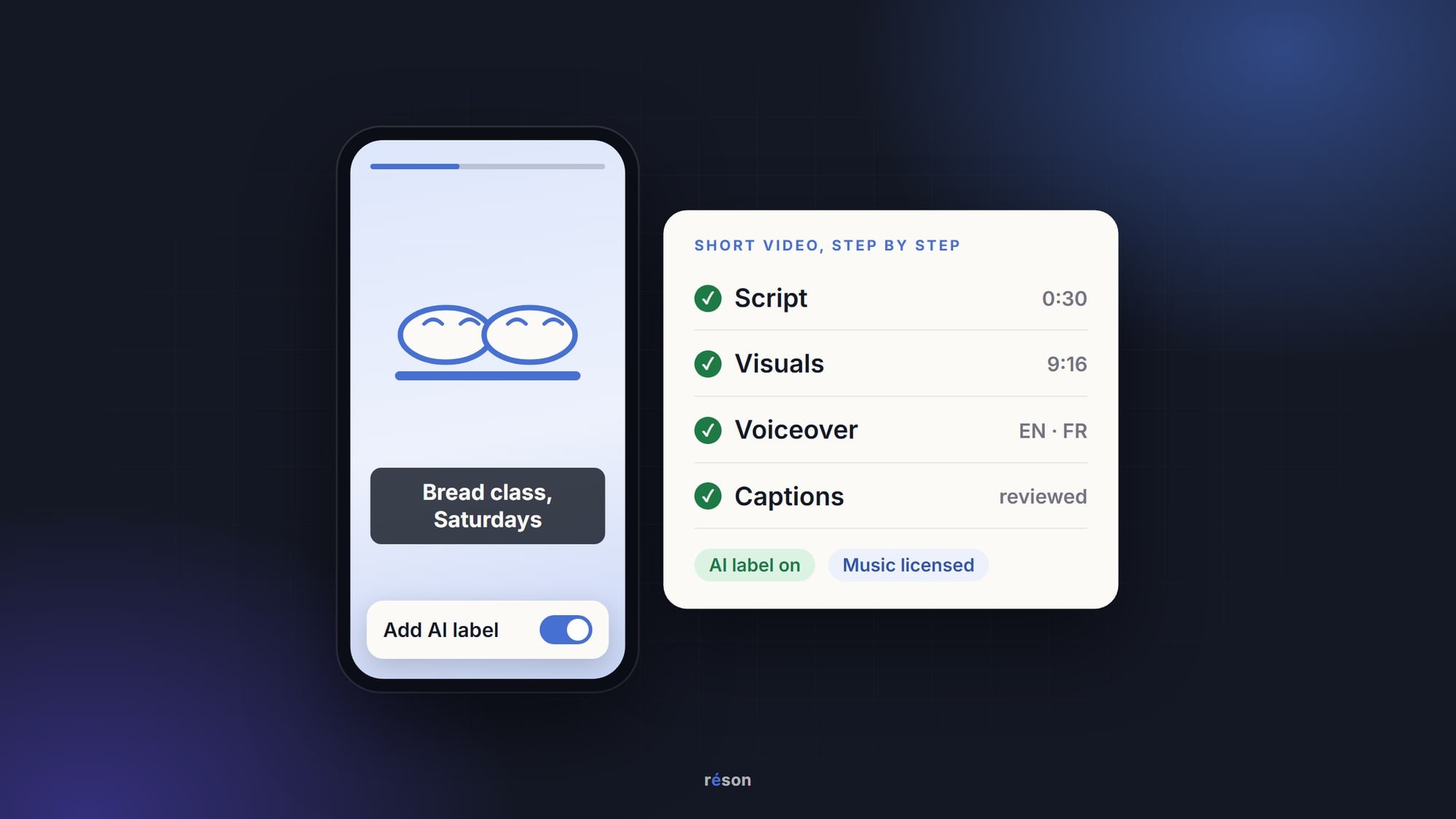
You can make a short marketing video with AI in four steps. Write a short script about one offer, then make or gather the pictures. Add a voiceover, then captions. AI video for small business marketing works best when the clip stays under a minute, every claim is checked, and you set each platform's AI label before you post.
The tools change every few months. The steps and the platform rules change much more slowly, so this guide focuses on those. Platform details come from each platform's own help pages, as of November 2026.
What do you need before you open an AI video tool?
You need one offer and one action you want the viewer to take. Write both on a single line before you type a prompt.
A good line looks like this: "Saturday bread class for people nearby: book a seat." A weak line looks like this: "Show what our bakery is about." The first gives the AI a subject it can show. The second gives it nothing to film.
Then gather what is real. Photos of your shop and your products (and your team, with their OK) are worth more than any generated scene. They show what a customer will actually find. Keep your logo, hours and prices in one place so the script uses the right ones.
How do you make an AI video for small business marketing?
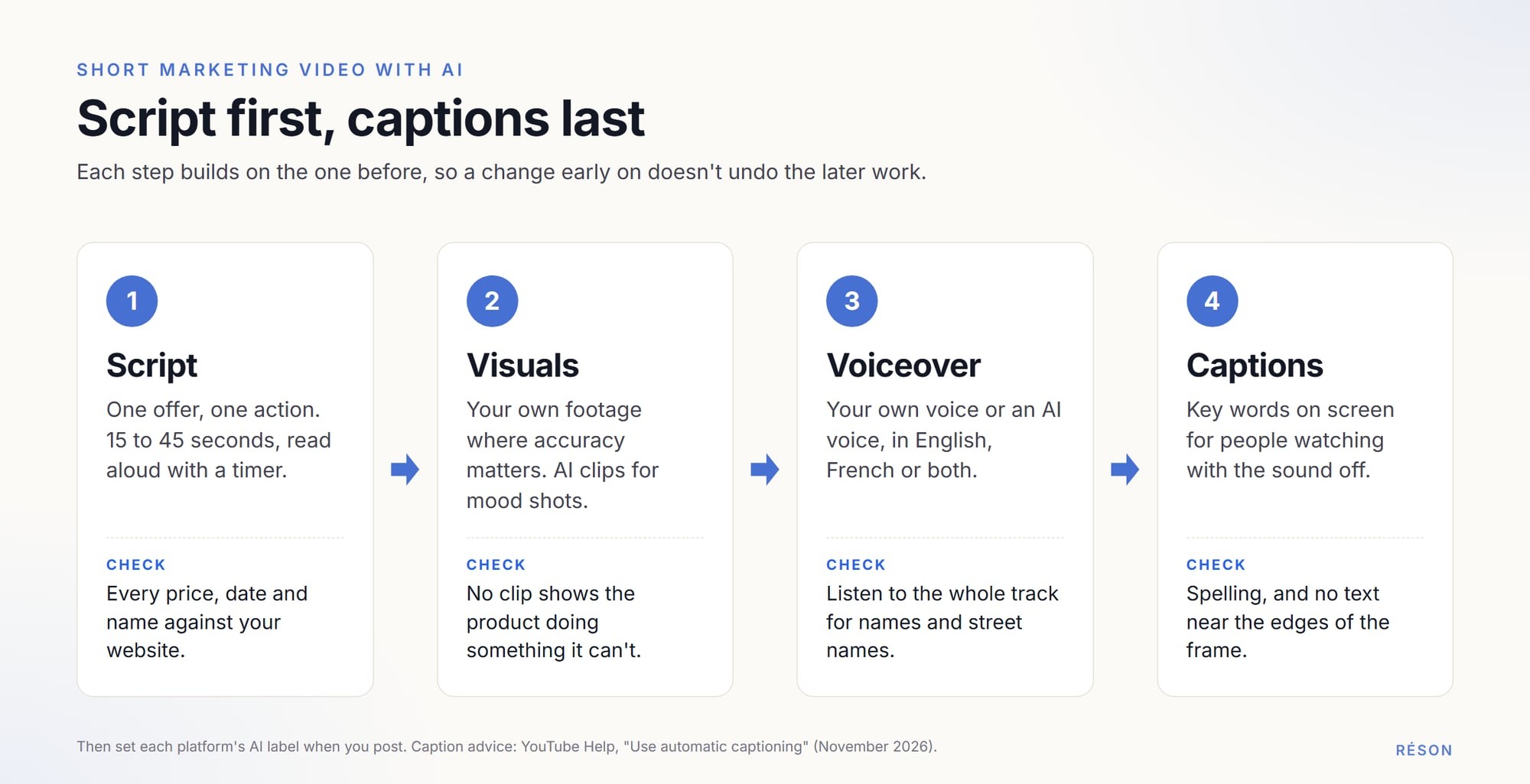
Write the script first. Then build the pictures to match it, and add the voice and captions last. Working in that order keeps the video about your offer instead of about whatever the AI happened to generate.
1. Write a script you can read aloud
Aim for 15 to 45 seconds. Read the script out loud with a timer; if you run out of breath, cut a sentence. The first line should say what the video is about, because a viewer can scroll away at any second.
Ask a chatbot for five opening lines and pick the plainest one. Then write the rest yourself or edit hard. Keep one fact per scene, and check each one against your website or price list.
2. Make or gather the visuals
You have three choices, and most good videos mix them:
- Your own footage: a phone video of the real product or the real room. Use it wherever accuracy matters.
- AI-generated clips, for a mood shot or a scene you can't film. Keep each prompt simple: one subject, one setting, one action.
- A slideshow of your photos with gentle movement, plus text on top. It's cheap and honest.
Don't let a generated clip show your product doing something it can't do. Our guide to planning a product reel around real evidence shows how to pair each claim with a shot that proves it.
3. Add the voiceover
You can record your own voice on a phone, or use an AI voice. AI voices help when you need the same script in English and French, or when nobody on the team wants to be on the mic. Listen to the whole track before you use it. AI voices can stumble on names and street names.
4. Add captions and on-screen text
Captions help anyone watching with the sound off, and anyone who is deaf or hard of hearing. Put the key words on screen too. Automatic captions save time, but they make mistakes. YouTube's own help page says its automatic captions can misrepresent what was said, and that you should always review them. Keep text away from the edges of the frame, where the app's buttons sit.
What length and format does each platform want?
Make one vertical (9:16) master under three minutes and you can post it almost anywhere. For most small-business promos, 15 to 45 seconds is plenty.
Here are the limits each platform publishes, as of November 2026:
| Platform | Longest video | Shape | Worth knowing |
|---|---|---|---|
| Instagram Reels | 20 minutes (Instagram Help) | Vertical 9:16 recommended (Meta for Business) | Reels over 3 minutes won't be recommended to new audiences. |
| TikTok | 10 minutes recorded in the app, 60 minutes uploaded (TikTok Support) | Vertical 9:16 recommended for ads (TikTok Ads Manager) | If you pick a sound first, the sound sets the length. |
| YouTube Shorts | 3 minutes (YouTube Help) | Square or vertical | Wider videos aren't treated as Shorts. |
| 15 minutes, at least 3 seconds (LinkedIn Help) | Anything from 1:2.4 to 2.4:1 | Files up to 5 GB; keep text and logos off the edges. |
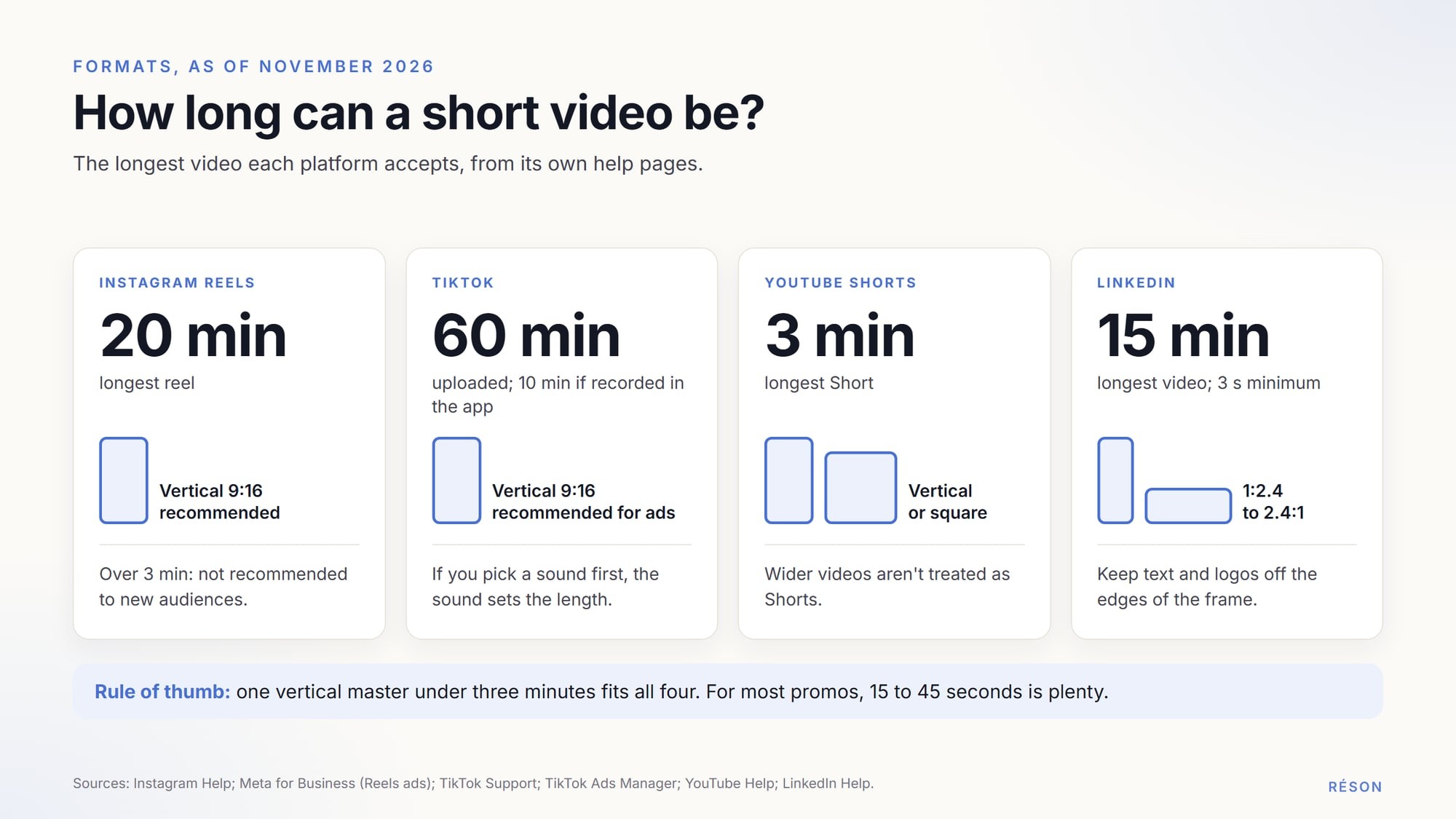
Two things repeat across the table. Vertical video is the safe default, and three minutes is the practical ceiling. Meta, TikTok and LinkedIn also warn about text near the edges. Meta and TikTok both offer "safe zone" templates that show where their buttons cover the picture.
Do you have to label AI-generated video?
Yes, on most big platforms, if the video looks real or the voice sounds real. Meta, TikTok and YouTube all ask you to label realistic AI content when you post it. Cartoon-style animation usually doesn't need a label, and neither does AI help with your script.
The details differ:
- On Instagram and Facebook, Meta "requires you to label content you share that has photorealistic video or realistic-sounding audio that has been digitally generated or altered." Its examples include "a reel narrated with a realistic AI-generated voiceover." When you create a reel, turn on the toggle next to "Add AI label" (Instagram Help).
- TikTok requires creators "to label all AI-generated content that contains realistic images, audio, and video." Before you post, tap More options, then turn on the AI-generated content setting. TikTok says the label won't affect distribution if the video follows its rules (TikTok Support).
- YouTube asks you to disclose realistic content, such as a real person saying something they didn't, or a realistic scene that never happened. YouTube lists cases that don't need it. Among them: AI help with scripts, and cloning your own voice for a voiceover. Set "AI use" in the Attributes section of YouTube Studio (YouTube Help).
- LinkedIn shows a small icon on images and videos that carry Content Credentials (C2PA data), which can say whether AI was used. Its help page doesn't ask you to add a label yourself (LinkedIn Help).
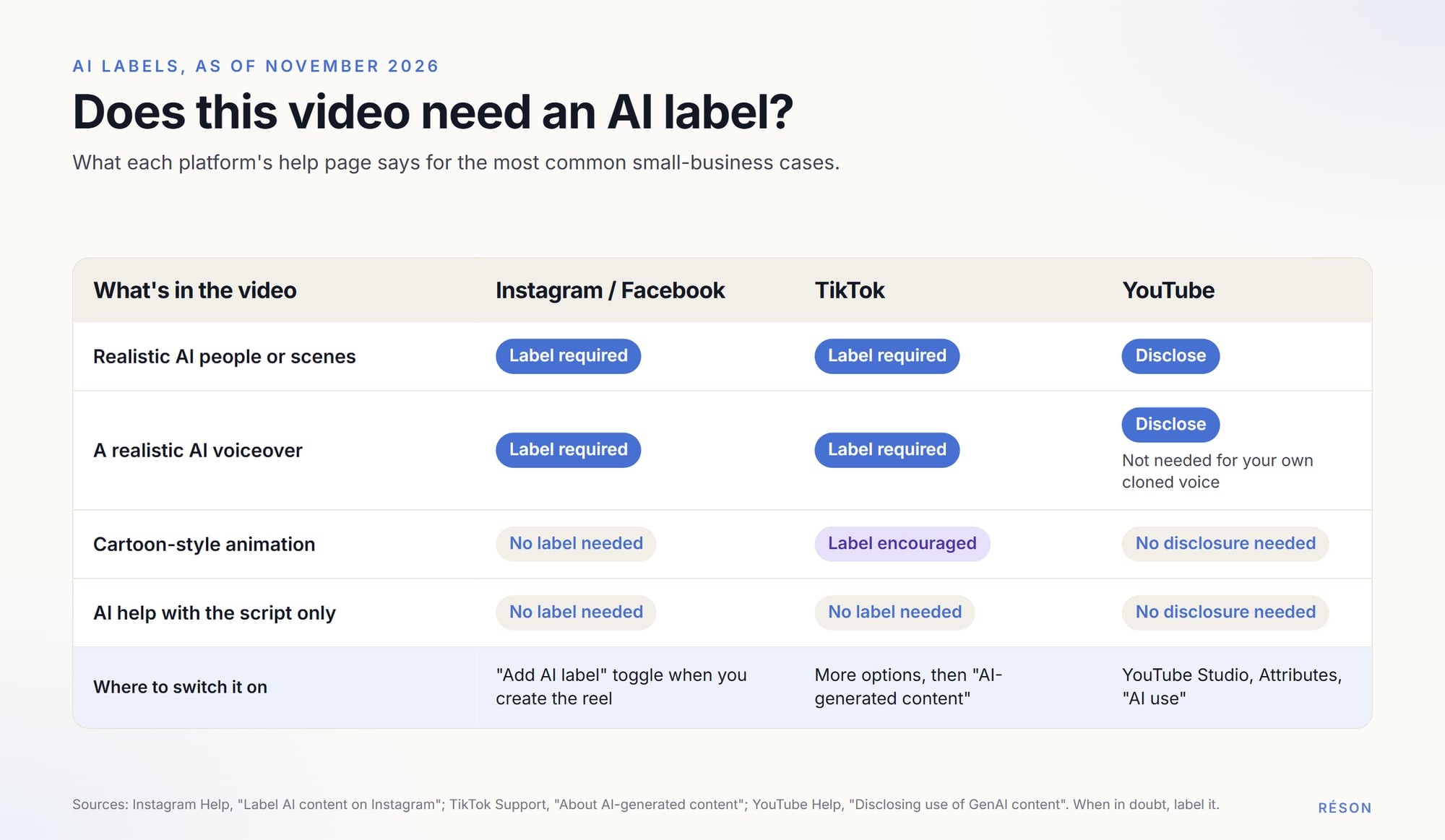
Watch the voice rule. On Instagram, a realistic AI voiceover needs a label. On YouTube, your own cloned voice doesn't. If you post the same video to both, label it on both. YouTube and TikTok each say the label alone doesn't limit who sees your video. Some AI tools also add Content Credentials to their files. TikTok says it may label those files on its own, and once that happens you can't remove the label.
Music, stock, faces and voices: what are you allowed to use?
Use music licensed for business use and footage your tool's licence lets you use in marketing. Use a person's face or voice only with written permission. On TikTok, business accounts also face stricter music rules than personal ones.
Music
Popular songs are an easy trap. TikTok says that with a Business Account "you cannot use music on TikTok that's not licensed for commercial use" (TikTok Support). Its Commercial Music Library has about a million pre-cleared songs that businesses can use on TikTok for free.
YouTube's Audio Library offers royalty-free tracks; the Creative Commons ones need a credit in your description. YouTube also blocks any Short over one minute that has an active copyright claim.
Stock footage and AI clips
Read the terms of every tool you use, including the AI video generator. Check two things: whether you can use the output in ads, and whether you need to credit anyone. Then check that the licence covers every platform you post on.
Faces and voices
Ask before you film a staff member or a customer, and get it in writing. Do the same before you clone anyone's voice, including your own team's. In Québec, the Civil Code (art. 36) says that using a person's "name, image, likeness or voice for a purpose other than the legitimate information of the public" may be an invasion of privacy. TikTok bans AI content that uses the likeness of adult private figures without their permission. This is general information, not legal advice.
A storyboard template for a 30-second video
Plan the video in a table before you generate anything. Each row is one shot. Write down the words, the picture and where that picture comes from.
Here is a filled-in example for a made-up bakery:
| Time | Picture | On-screen text | Voiceover | Source |
|---|---|---|---|---|
| 0–4 s | Hands shaping dough | "Bread class, Saturdays" | "Ever wanted to bake real sourdough?" | Own footage |
| 4–12 s | The class table with six aprons | "6 seats, 10 a.m." | "Our Saturday class has six seats." | Own photo |
| 12–20 s | Warm loaves on a rack | "Take home 2 loaves" | "You leave with two loaves and the recipe." | Own footage |
| 20–26 s | A quiet street at sunrise | "Next to the market" | "We're right next to the market." | AI clip (label it) |
| 26–30 s | Logo and booking link | "Book a seat" | "Book your seat at the link." | Brand kit |
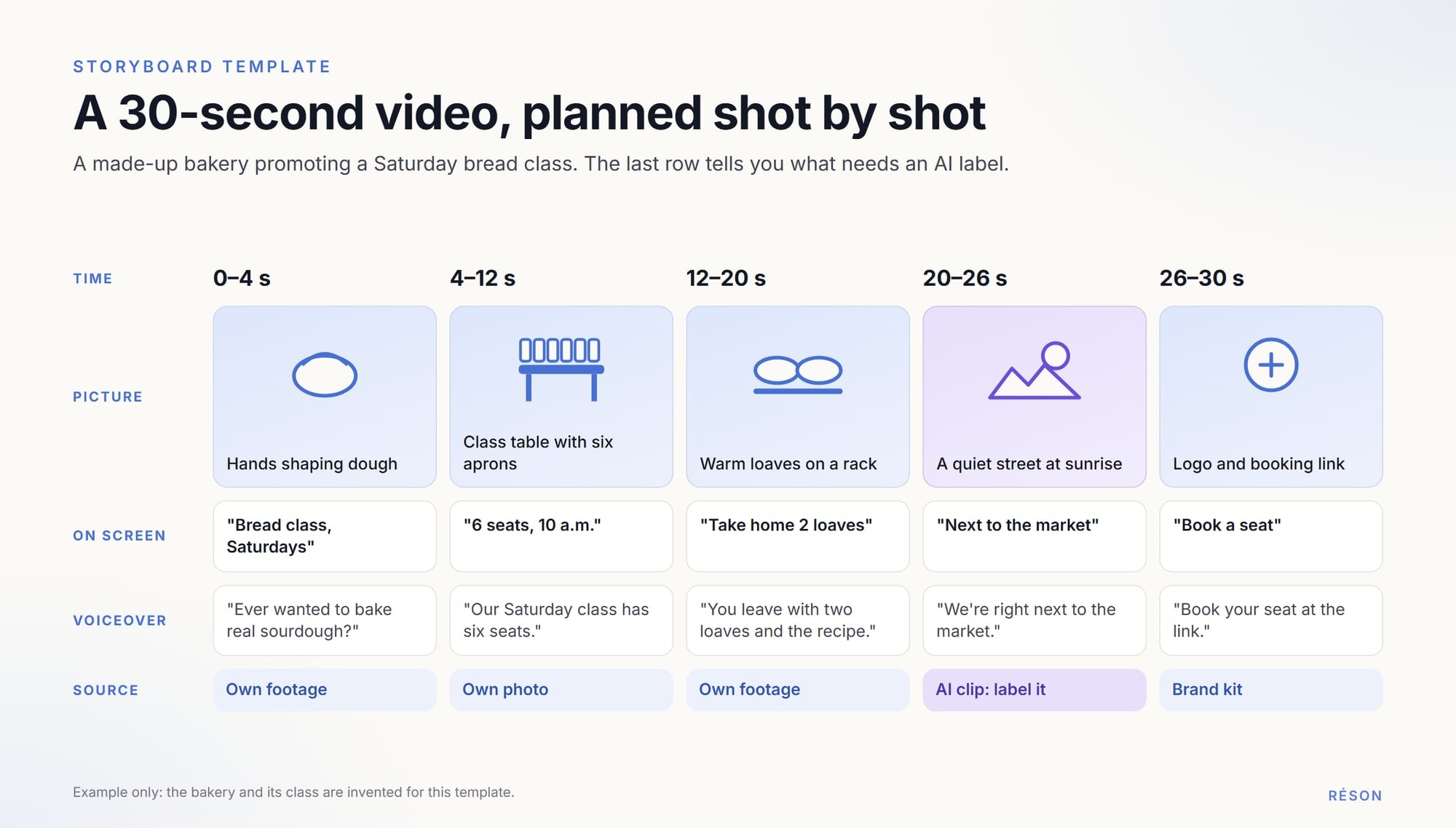
The source column does two jobs. It shows which shots must be real. It also tells you whether the finished video needs an AI label. Once the storyboard works, slot the video into your month with an AI content calendar, so one shoot can feed several posts.
What should you check before you post?
Watch the whole video once with sound and once without. Then run this list:
- Prices and dates match your website.
- Names sound right in the voiceover.
- Captions are spelled correctly, in the right language.
- No text or logo sits near the edges.
- The music is licensed for business use on that platform.
- Everyone who appears has agreed in writing.
- The AI label is on wherever the platform asks for it.
- The French and English versions say the same thing. Our guide to bilingual marketing in Canada covers how to plan both.
Try this workflow in Réson
Réson is an AI marketing workspace for small businesses in Canada and Québec. Its Studio makes short video clips for reels and stories from a brief and your business profile. It also turns a script into a voiceover in English or French. You ask in plain words, such as "a short video for the open house," and you revise the same way. Video takes a few minutes and runs in the background.
Every piece waits for your approval. You download the finished video and post it yourself, so you set each platform's AI label at that point. Direct publishing connects through each provider's official authorisation as each integration becomes available.
The free 14-day trial includes two short videos, with no credit card. Paid plans start at CA$79 a month (Starter, four videos a month); Growth includes 12 and Agency 40. You can start a free Réson trial with your business name.
Frequently asked questions
Can I make a marketing video with AI without filming anything?
Yes. You can build a short video from AI-generated clips, a slideshow of your own photos with text on top, and an AI voiceover. Use real photos wherever accuracy matters, such as your product, your shop or your prices, because generated scenes can show things that don't exist. If the video includes realistic AI people, scenes or voices, Instagram, TikTok and YouTube ask you to label it when you post.
How long should a small business video be for Instagram Reels?
Instagram lets you record reels up to 20 minutes, but its help centre says reels over 3 minutes won't be recommended to new audiences (as of November 2026). For most small-business promos, 15 to 45 seconds is enough: one offer, one or two facts and a clear next step. Make it vertical, at 9:16, and keep text away from the edges of the frame.
Do I have to say my video uses an AI voice?
On Instagram and Facebook, yes if the voice sounds realistic: Meta lists a reel narrated with a realistic AI-generated voiceover as content that needs its AI label. TikTok requires a label for realistic AI audio too. YouTube asks you to disclose realistic synthetic content, but says cloning your own voice for a voiceover doesn't need it. These are the rules as of November 2026.
Can I use popular songs in my business's TikToks or reels?
Usually not. TikTok says Business Accounts cannot use music that isn't licensed for commercial use, and it points businesses to its Commercial Music Library of about a million pre-cleared songs. On YouTube, the Audio Library offers royalty-free tracks. On any platform, check that your licence covers business use, ads if you boost the post, and every platform where you plan to share the video.
Can AI make the whole marketing video for me?
AI can draft the script, generate clips and read a voiceover, but someone at the business still needs to check the result. Look for wrong prices or dates, mispronounced names, caption errors and generated shots that show a product doing something it can't. Then set each platform's AI label where it's required. Watching the video once with sound and once without is a good habit.
Sources
- Instagram Help: Record a reel on Instagramhelp.instagram.com
- Instagram Help: Label AI content on Instagramhelp.instagram.com
- Meta for Business: Instagram & Facebook Reels adsfacebook.com
- TikTok Support: Camera toolssupport.tiktok.com
- TikTok Support: About AI-generated contentsupport.tiktok.com
- TikTok Support: Soundssupport.tiktok.com
- TikTok Ads Manager: About the Commercial Music Libraryads.tiktok.com
- TikTok Ads Manager: TikTok Auction In-Feed Adsads.tiktok.com
- YouTube Help: Upload YouTube Shortssupport.google.com
- YouTube Help: Understand three-minute YouTube Shortssupport.google.com
- YouTube Help: Disclosing use of GenAI contentsupport.google.com
- YouTube Help: Use music and sound effects from the Audio Librarysupport.google.com
- YouTube Help: Use automatic captioningsupport.google.com
- LinkedIn Help: Video sharing troubleshootinglinkedin.com
- LinkedIn Help: Content credentialslinkedin.com
- Civil Code of Québec, articles 35 and 36 (Légis Québec)legisquebec.gouv.qc.ca
About the author
Réson
Réson is an AI marketing workspace for small businesses. It learns your business from your website, drafts posts, campaigns and articles, and waits for your approval before anything goes out.