AI marketing workspace for small business: from research to approval
What each step needs, where separate tools lose facts and approvals, and a scorecard to test any option in one afternoon
By Réson
8 min read
In this article
- What does an AI marketing workspace need to do?
- Research: facts you can check
- Plan: a dated plan you agreed to
- Draft: built from approved facts
- Approve: a yes with a record
- Where does the chain break when you use separate tools?
- What kinds of tools can research, plan and draft?
- When a stack of tools is the better choice
- What should you look for in an AI marketing workspace?
- How can you test an AI marketing workspace in one afternoon?
- What won't any AI marketing workspace do for you?
- Try this workflow in Réson
The AI marketing workspaces that help a small business most keep four steps in one place: research that shows its sources, a campaign plan you approve, drafts built from those approved facts, and a sign-off before anything goes out. All-in-one workspaces aim to do this. A chatbot plus a scheduler can too, if you carry the facts between them yourself.
A word on who is writing: we make Réson, an AI marketing workspace for small businesses, and it is one of the tools in the table below. The test at the end works with any of them.
What does an AI marketing workspace need to do?
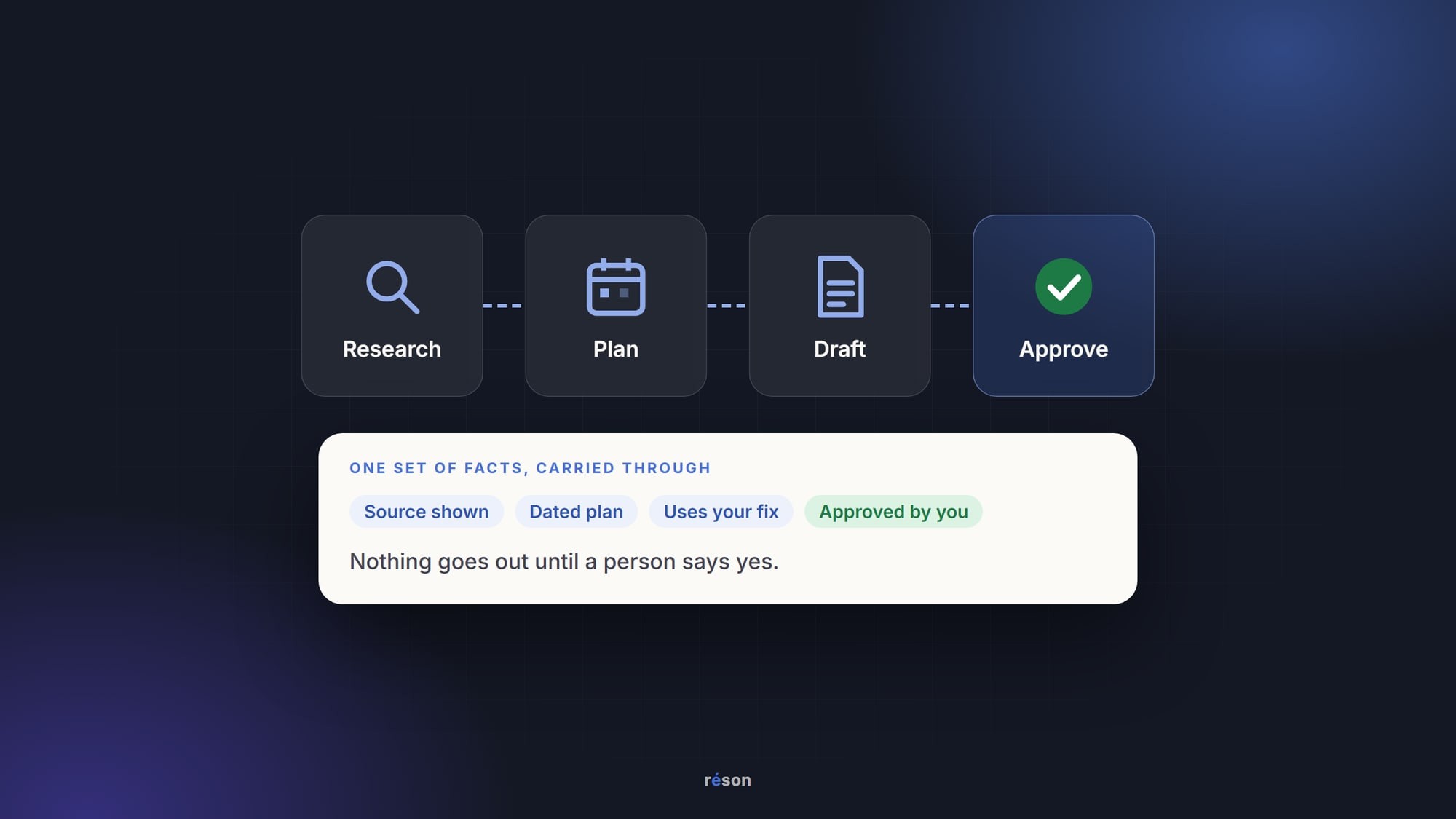
It needs to carry one set of facts from research to approval without losing them. Each of the four steps has its own job, and each one fails in its own way.
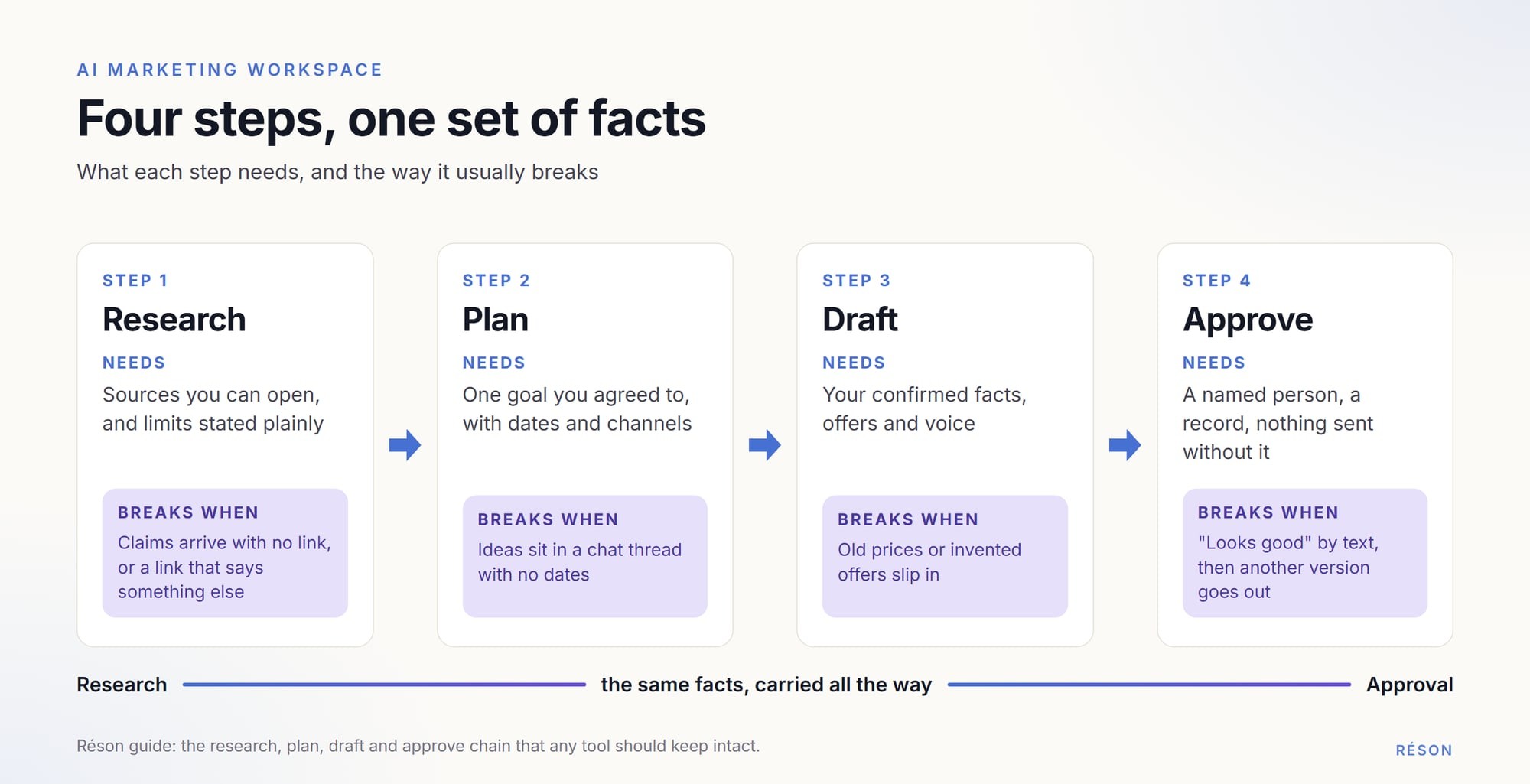
| Step | What it needs | How it usually fails |
|---|---|---|
| Research | Sources you can open, and limits stated plainly | Confident claims with no link, or a link that says something else |
| Plan | Dates, channels and one goal you agreed to | A list of ideas with no dates, kept in a chat thread |
| Draft | Your approved facts, voice and offers | Old prices, invented features, generic tone |
| Approve | A named person, a record, nothing sent without it | "Looks good" in a text message, then a different version goes out |
Research: facts you can check
AI research is fast, but it is often wrong in a confident voice. In March 2025, Tow Center researchers Klaudia Jaźwińska and Aisvarya Chandrasekar tested eight AI search tools on 1,600 queries for the Columbia Journalism Review. They found the tools gave incorrect answers to more than 60 percent of them. That test was about citing news, not market research. The lesson still carries over: a claim is only as good as the source you opened.
Good research output links every claim, says what it could not find, and keeps what you confirmed. It also admits the limits. An AI tool can't see your sales or your real search volumes unless you give it that data. For a deeper look at this step, see how a small business can use AI for market research.
Plan: a dated plan you agreed to
A plan turns research into a goal with dates on a calendar. A good goal says what should change and by when. "More spring menu bookings by 30 April" is a goal; "post more" is not.
You should be able to change any part of the plan. The tool should also show what it proposed and what you decided, so you can see later why a post exists.
Draft: built from approved facts
Drafts should pull from the facts you confirmed, not from a fresh guess. If you corrected your Saturday hours last week, this week's post should use the new hours without being told again.
Watch for details you never gave it. AI drafts like to add a free gift, a "family-owned since" line or a discount you don't offer. Each one is a promise to a customer, so it has to be true.
Approve: a yes with a record
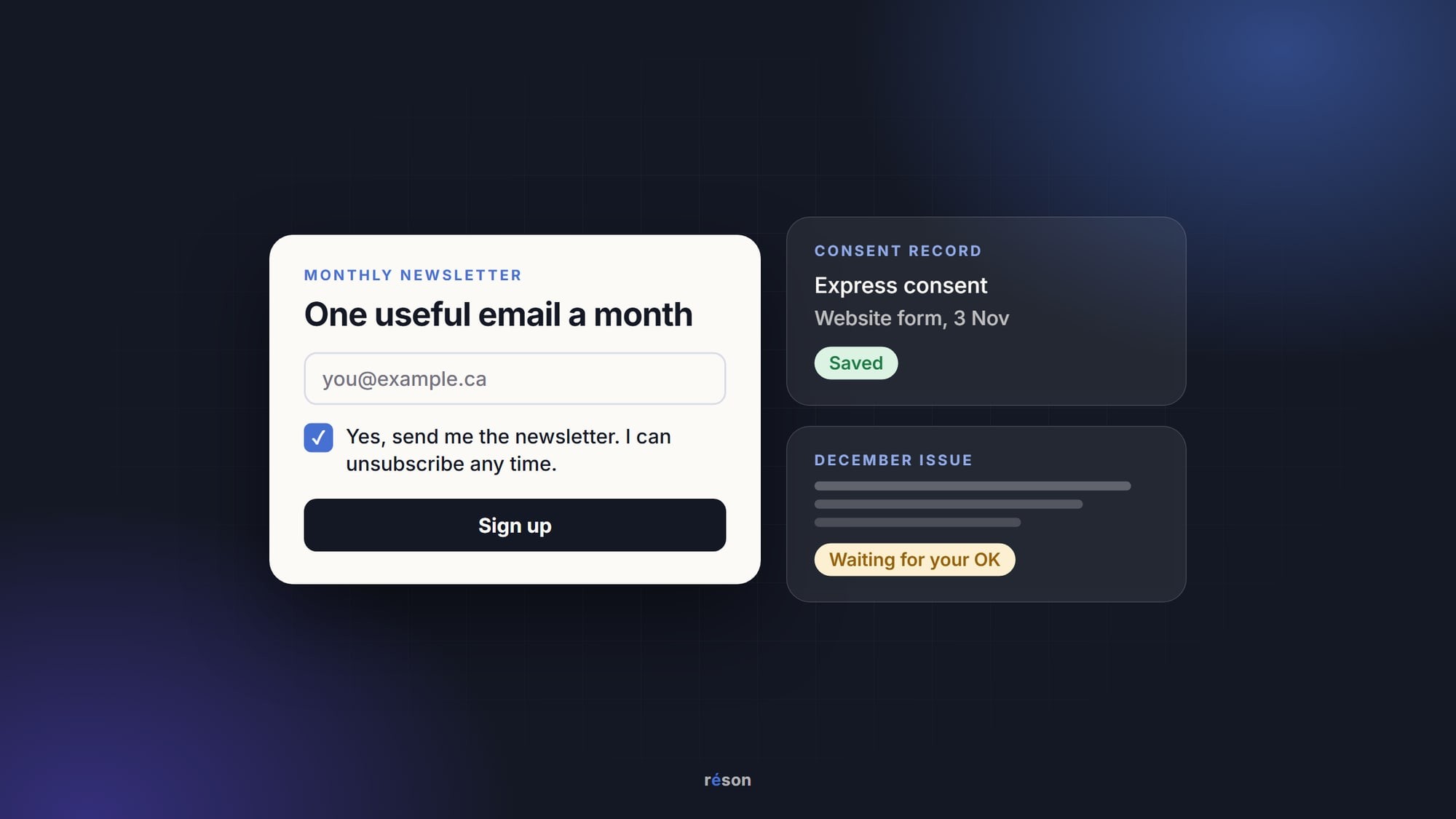
Approval means a named person said yes to a specific version. The tool should not publish or send anything without it. In a team of two, that can be as simple as one person drafting and the other approving. Records matter for email, too. Under section 13 of Canada's Anti-Spam Legislation, a business that says it had consent to send a message "has the onus of proving it." Keep consent records next to your approvals. Our CASL checklist for small businesses covers the rest.
Where does the chain break when you use separate tools?
It breaks at the handoffs. Every time you copy text from one tool into another, the sources stay behind and the approval history starts again from zero.
Here is a common setup. You research in a chatbot, design in a graphics tool, schedule in a social app and approve by text message. Each tool may be good at its own job. The trouble sits between them:
- The chatbot's summary lands in your notes without its links, so no one can check it later.
- You fix a price in one place, and the old price lives on in a saved design.
- The calendar holds a post, but not the version your partner approved.
- The French version drifts from the English one, because each was edited separately.
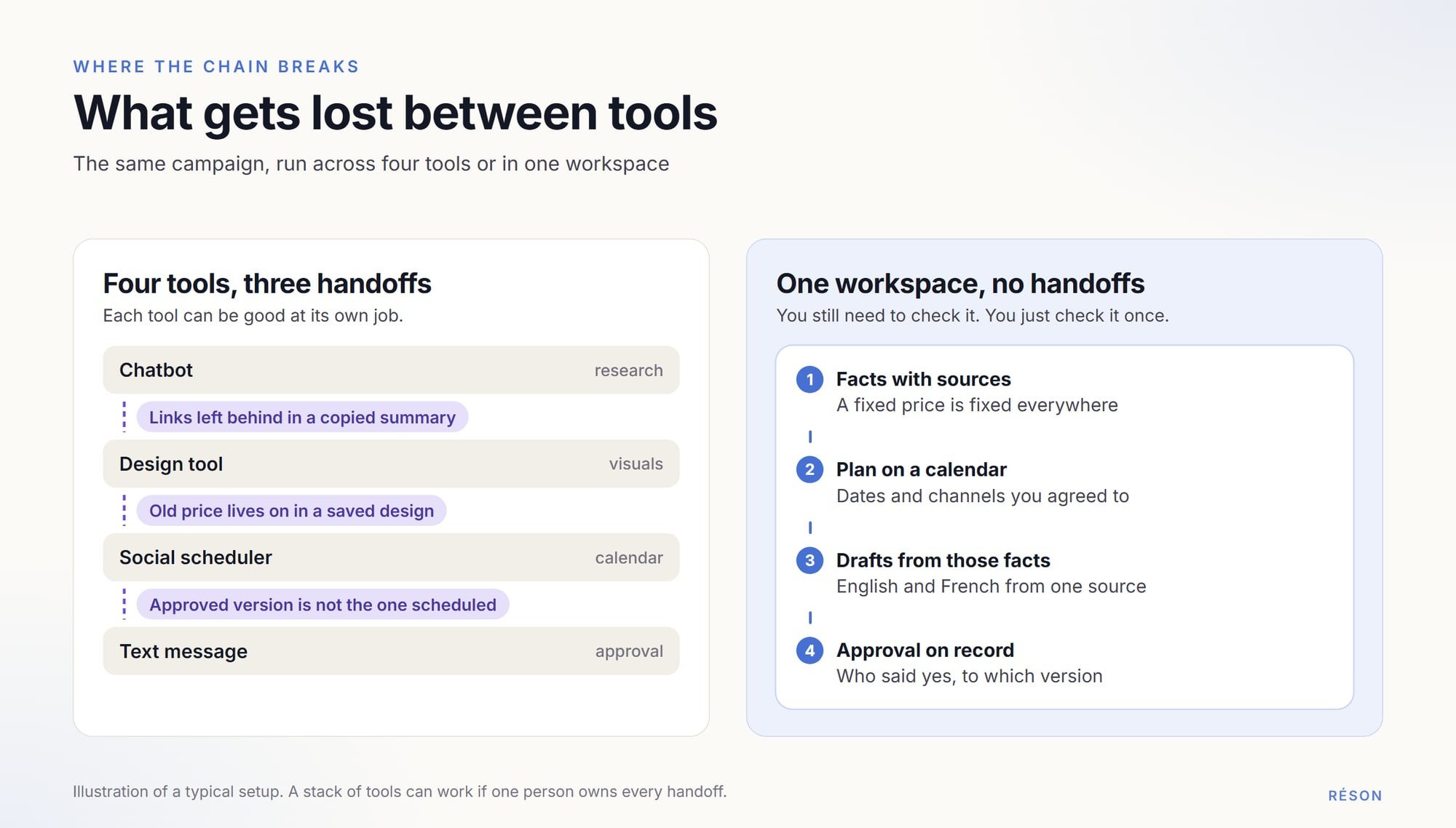
None of this means you need one tool. It means someone has to own the handoffs. If that someone is you, write down where the facts live and where approvals are recorded. A short business knowledge pack helps here, because every tool then starts from the same sheet.
What kinds of tools can research, plan and draft?
Most small businesses choose between a stack of single-purpose tools and one workspace that covers the chain. The table describes categories, with one example each, as of November 2026. The descriptions come from each company's own page.
| Category | Example (as of November 2026) | How the company describes it | What to ask |
|---|---|---|---|
| General chatbot | ChatGPT | "chat, work & code all in one place", with web search | Where will the plan and approvals live? |
| Design tool | Canva | An online graphic design tool for social posts, presentations, videos and more | Which facts and offers will the designs use? |
| Social scheduler | Buffer | Social media management, with team approval of posts and an AI Assistant | Where does the research behind each post come from? |
| CRM-led marketing platform | HubSpot Marketing Hub | A platform where "your CRM, content, and campaigns" work together, with the Breeze AI assistant and agents | How much of it will a small team set up and use? |
| AI marketing workspace for small business | Réson (ours) | A business profile with sources, goals, campaigns, drafts and approval in English and French | Does it fit your channels today? |
When a stack of tools is the better choice
A stack can work well. If you already pay for tools you like, and one person runs all your marketing, that person can carry the facts between them. The cost is time at each handoff.
A single workspace makes more sense when two or more people touch the work, or when you publish in two languages. It saves the handoffs, but you depend on one vendor. That makes the exit questions in the test below matter more.
What should you look for in an AI marketing workspace?
Look first for two things: sources you can open, and approval before anything goes out. The other four checks (calendar, languages, data use, cost) decide whether it fits your business. Ask each vendor to show you in the product.
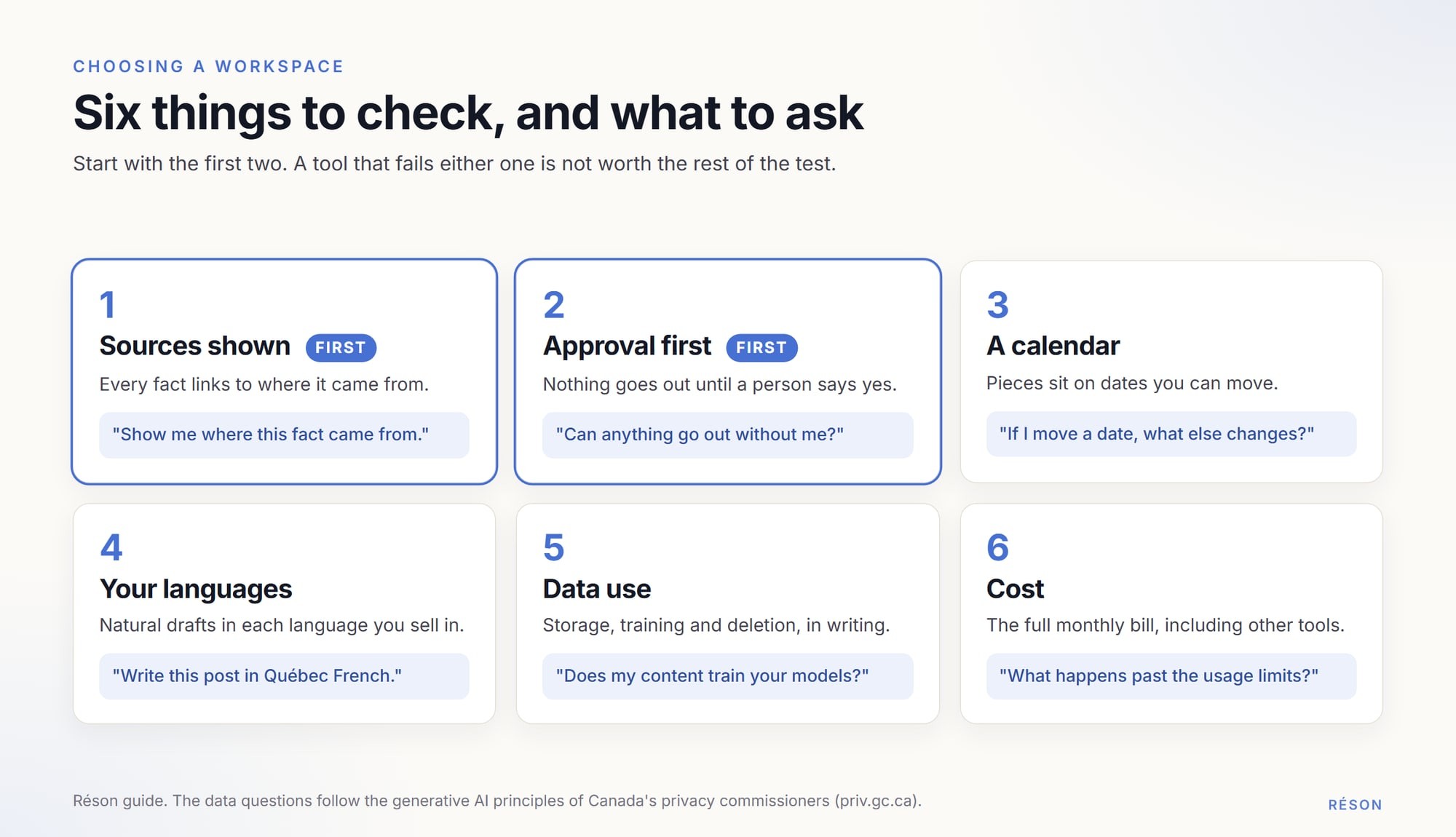
- Sources shown. Every fact in your profile or research should link to where it came from. Guesses should be labelled as guesses.
- A calendar. Campaign pieces should sit on dates you can move, not only in a list.
- Approval first. By default, nothing should be published or sent until a person approves it. Check this for automations too.
- Your languages. If you sell in English and French, ask for a draft in each. Check that it reads like Québec French if your customers are in Québec.
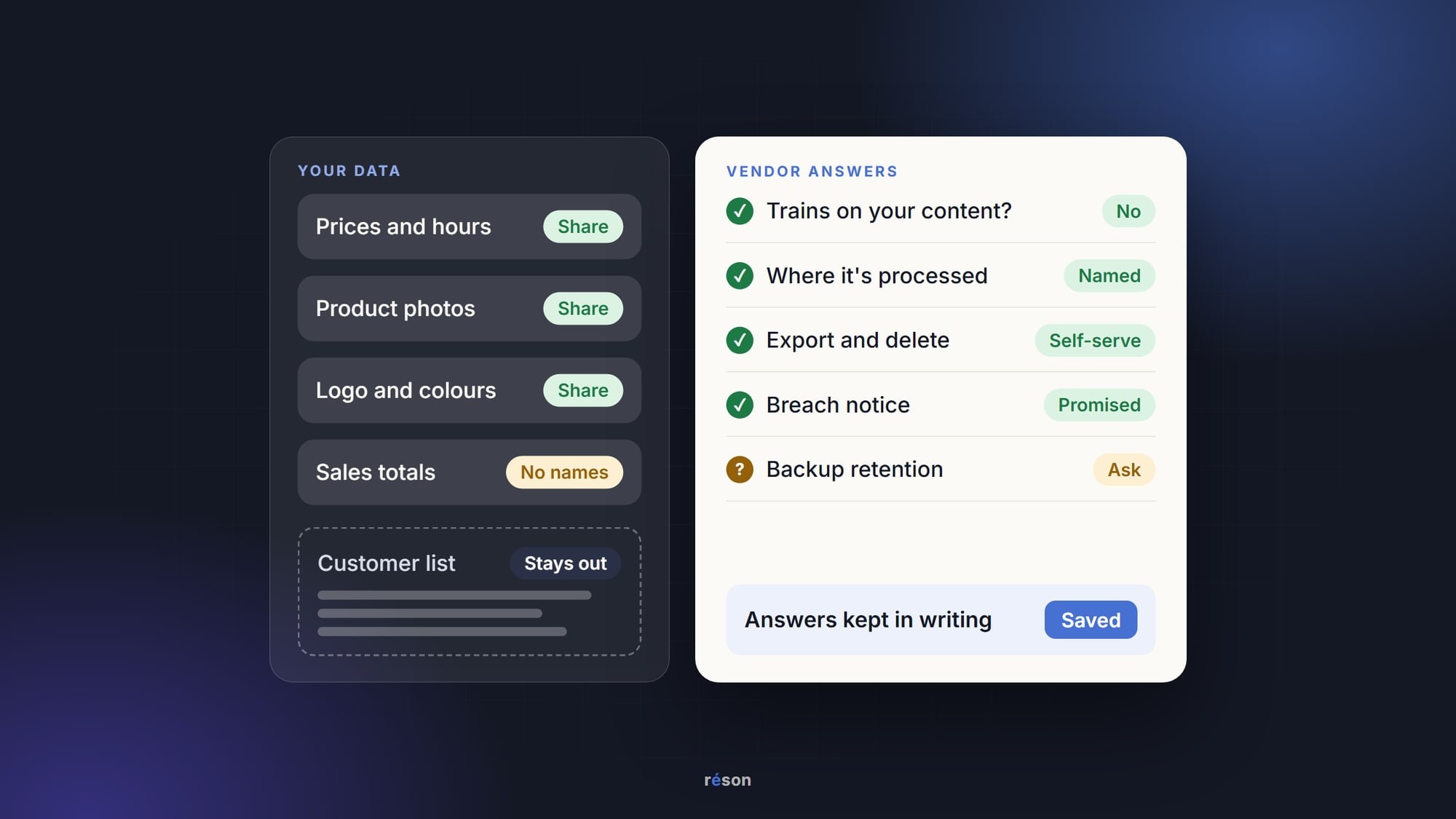
- Data use. Ask where data is stored and processed, whether your content trains AI models, and how to delete it.
- Cost. Add the monthly price to the cost of any tools you would still need beside it. Check the usage limits too.
Data use deserves the most care. In Statistics Canada's survey for the second quarter of 2026, 19.2% of businesses said they used AI to produce goods or deliver services. Cybersecurity or privacy concerns were the barrier most often named (13.4%), ahead of cost (10.6%). The principles for generative AI from Canada's federal, provincial and territorial privacy commissioners advise using de-identified information in prompts where possible. They also say "accountability for decisions rests with the organization, and not with any kind of automated system." This is general information, not legal advice.
How can you test an AI marketing workspace in one afternoon?
Pick one real goal and follow one fact from research to the approved draft. You need about three hours, so you can run it early in a free trial.
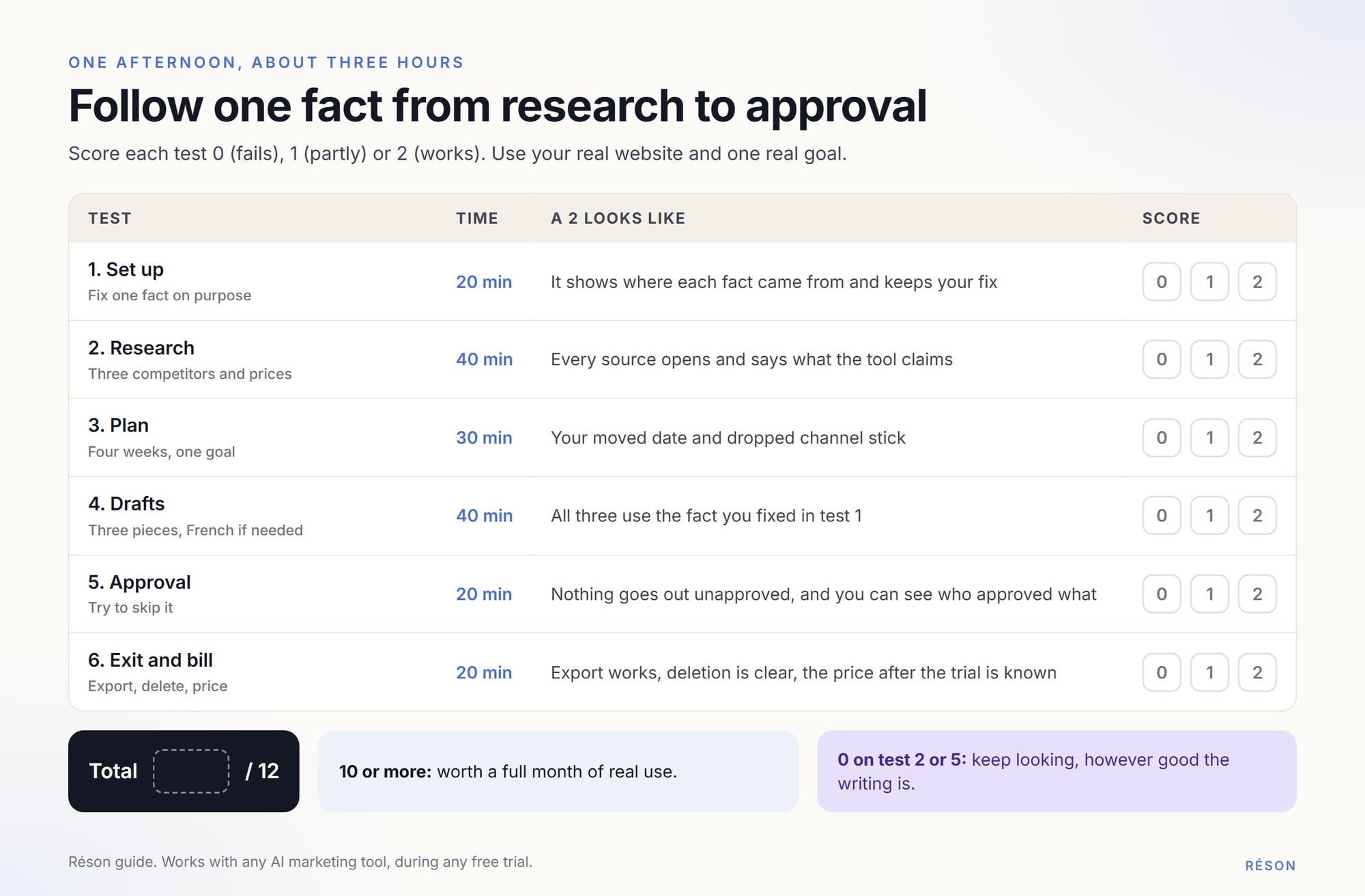
- Set up with your real website (20 minutes). Read what the tool learned about you. Fix one fact on purpose, such as your opening hours.
- Ask a research question (40 minutes). Try "Who are three competitors near me, and what do they charge?" Open every source and check it says what the tool claims.
- Ask for a four-week plan for one goal (30 minutes). Move one date and drop one channel. See whether the plan keeps your changes.
- Get three drafts (40 minutes). Check that they use the fact you fixed in step 1. Ask for a French version if you need one.
- Test approval (20 minutes). Try to publish or send something you have not approved. Find the record of who approved what.
- Check the exit and the bill (20 minutes). Export a draft, find how to delete your data, and note the price after the trial.
Score each test 0, 1 or 2. A tool that scores 10 or more is worth a full month of real use. If it scores 0 on approval or sources, keep looking, however good the writing is. For a broader version that compares several tools with the same brief, see our practical test of AI marketing tools.
What won't any AI marketing workspace do for you?
It won't know what you haven't told it, and it can't promise results. Treat any vendor that promises rankings, AI citations or sales with caution.
A workspace can't decide which customers matter most to you, or which offer you can afford to run. It can't see private data you never connected. It also can't take the legal risk off your hands. Under the Competition Act, the Competition Bureau says "it is against the law to advertise or market something in a way that is false or misleading." The business that publishes a claim owns it, whoever drafted it. That is the strongest reason to keep the approval step, even when the drafts look good.
Try this workflow in Réson
In Réson, you start with a business name, a website, a sentence or a few files. Each fact in the profile it builds shows its source. Anything it could not verify is marked "Suggestion" until you confirm it.
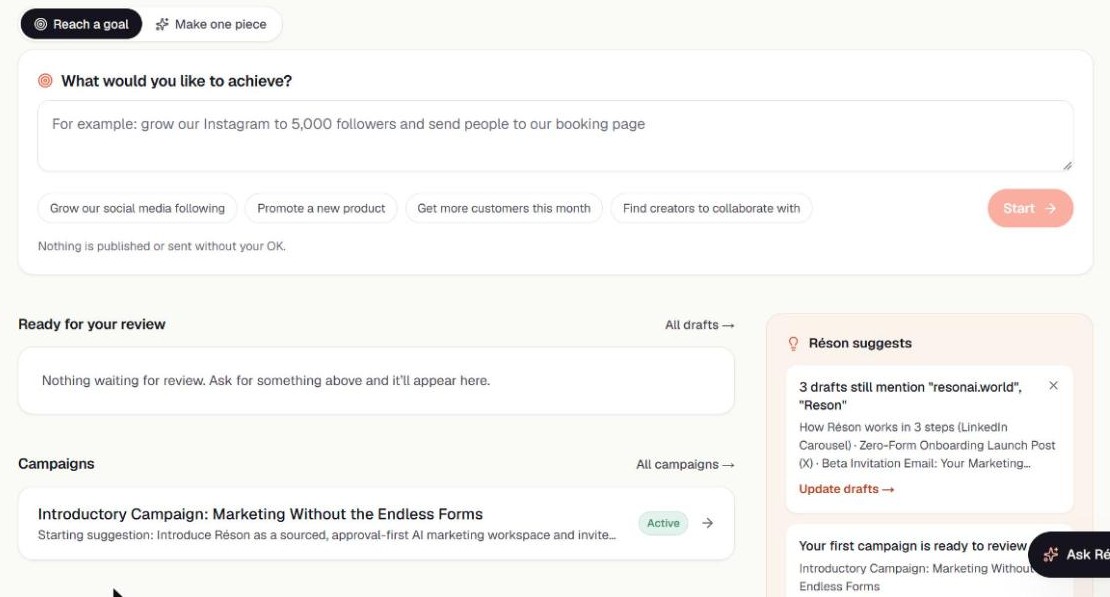
You type a goal on the home screen. Réson runs research with sources and stated limits, proposes a strategy you approve or revise, then drafts a first batch for you to approve and launches it onto the campaign calendar. It works in English and French. By default, every post and email waits for your approval. Today you review, export and download what you create.
You can run the afternoon test above in a free 14-day Réson trial, with no credit card. Plans start at CA$79 a month.
Frequently asked questions
What is an AI marketing workspace?
An AI marketing workspace is one tool where a business can research its market, plan campaigns, draft posts and emails, and approve them before they go out. The useful ones keep a single set of business facts, show where each fact came from, and record who approved which version. A chatbot or a scheduler covers parts of this; a workspace tries to cover the whole chain.
Can I use ChatGPT instead of an AI marketing workspace?
Yes, if one person runs your marketing and is happy to carry facts between tools. A general chatbot is good at research questions and first drafts. You will still need somewhere to keep a dated plan, your confirmed facts and a record of approvals. A workspace makes more sense when several people touch the work or you publish in two languages.
How do I check whether AI research about my market is accurate?
Open every source the tool gives and check that it says what the tool claims. Treat claims with no link as guesses. In a 2025 Tow Center study, eight AI search tools gave incorrect answers to more than 60 percent of 1,600 news queries, so checking matters. Remember that AI can't see your own sales or real search volumes unless you supply them.
Why does content approval matter for a small business?
Your business is responsible for every claim it publishes, whoever drafted it. Canada's Competition Act forbids false or misleading marketing, and under CASL a sender must be able to prove consent for commercial emails. An approval step with a record shows who said yes to which version. It also catches invented offers, old prices and wrong hours before customers see them.
How much does an AI marketing workspace cost?
Prices vary by tool, so compare the full monthly bill: the plan, any usage limits or credits, and the other tools you would still pay for beside it. If a tool offers a free trial, use it to run a three-hour test with your own website. As one example, Réson offers a free 14-day trial without a card, then plans from CA$79 a month.
Sources
- Statistics Canada: Analysis on artificial intelligence use by businesses in Canada, second quarter of 2026www150.statcan.gc.ca
- Columbia Journalism Review, Tow Center: AI Search Has a Citation Problem (March 2025)cjr.org
- Office of the Privacy Commissioner of Canada: Principles for responsible, trustworthy and privacy-protective generative AI technologiespriv.gc.ca
- Canada's Anti-Spam Legislation, section 13 (Justice Laws)laws-lois.justice.gc.ca
- Competition Bureau Canada: Deceptive marketing practicescompetition-bureau.canada.ca
- ChatGPT overview (OpenAI)chatgpt.com
- Canvacanva.com
- Bufferbuffer.com
- HubSpot Marketing Hubhubspot.com
- Réson pricingresonai.world
About the author
Réson
Réson is an AI marketing workspace for small businesses. It learns your business from your website, drafts posts, campaigns and articles, and waits for your approval before anything goes out.